Blog

  • Apple Vision- TV Shows and Movie Content

    Apple Vision its an all new product category for Apple. As we look toward the launch of the first Apple Vision product next year, Apple Vision Pro, I want to look at certain aspects of what Apple showed at the reveal and take a closer look at how they could prepare their hardware, software, and service offering to give consumers the best shot at buying one. Today I want to look at entertainment. Specifically TV and movie content. 

    I think the best place to start is by examining how the expansive selection of video content we have today, The good news is there shouldn’t be any major changes. You can still open Safari and go to any website and play a video. It will open up into a window that can resized and moved anywhere in your environment. And if you have an iPhone or iPad app loaded onto your Vision device, the same thing will happen. You can open that app and start a video and resize it and move it anywhere you like. I anticipate you can take advantage of the Cinema Environment (or any other Environment) to immerse yourself in the content. So that is all nice and I think improves the video watching experience without any additional work by the developer of the app or changes to the way video is filmed or shared. 

    But now we come to what can happen if Apple does put in extra work to improve their own apps, TV shows, and movies. One of the things that Apple pointed out specifically at WWDC 2023 is that Vision Pro can play 3D movies. Based on this, I think one of the first things Apple will do is strike a deal with the movie studios to make films shot in 3D available on iTunes to purchase and watch. I think Apple will do something similar to what they did when Apple TV 4K  was launched and Apple made 4K movies and tv shows available to purchase via iTunes. Let users get the 3D version at no additional cost. At the time, this was a big deal in marketing Apple TV 4K.

    “With Apple TV 4K, viewers can enjoy a growing selection of 4K HDR movies on iTunes. iTunes users will get automatic upgrades of HD titles in their existing iTunes library to 4K HDR versions when they become available.”

    Apple did make a few mentions to the Apple Immersive Video format- a video format specifically designed for watching videos on Apple Vision. It requires the use of special cameras to capture the footage so it presents correctly to users so it will require film studios to do additional work. The good news is, Apple is now partially a film studio since they run Apple TV+. Apple not only purchases content from studios, they directly fund and do the work on their Apple Originals lineup of films. This positions Apple perfectly to adopt the Apple Immersive Video format for all their upcoming TV+ shows and movies, but gives Apple an opportunity to get other studios to adopt the format as well. It even sounds like Apple is actively working on this as Sigmund Judge has indicated the upcoming Apple TV+ movie Monarch: Legacy of Monsters is being filmed with this format in mind. If the partnership with Disney holds up, we could see a lot of movies shot in this format and be an attractive way for consumers to watch tv shows and movies.

    I do want to make an additional note here: For those who have seen For All Mankind (which is hopefully everyone as For All Mankind is an excellent show) remember ahead of season 2 premiering Apple released the For All Mankind Time Capsule app which gave users an AR experience to catch up on the events that occurred in the 10 years between seasons 1 and 2. Imagine if Apple does more of these kinds of AR bonuses for Apple TV+ subscribers. It would further immerse people into their favorite shows all on one device. Based on the concept video for Disney+ coming to Apple Vision, it seems like Disney has the same kind of idea. 

    I think tv shows and movies will be one of the “killer apps” for the Apple Vision product lineup. But this is one of the products long term strategies. No average consumer is going to make a reservation at an Apple Store and spend $3,500 just to watch Avatar in 3D at home and experience the For All Mankind Time Capsule. But in a few years as more video content is produced for Apple Vision and Apple and Disney and others come up with the best way to expand the entertainment universe using AR and VR in meaningful ways and the Apple Vision Air (or whatever it gets called) costs $2,000, it becomes much more attractive. 

  • The Future of Apple’s MagSafe Accessories

    MagSafe is not a new technology. Apple first debuted MagSafe on the Mac in 2006 with the introduction of the Intel MacBook Pro. They later introduced MagSafe 2 which made the connector much thinner before it was discounted with the introduction of the 2015 MacBook and didn’t return until 2021 with the Apple Silicon MacBook Pros as MagSafe 3.

    Between the time MagSafe 2 was discontinued and MagSafe 3 was introduced however, the MagSafe branding did make a return but not on the Mac. Instead, it was on the iPhone. MagSafe for iPhone debuted in 2020 with the iPhone 12 lineup and has been on every new iPhone model since (excluding iPhone SE) and is a great hardware feature that Apple has yet to take full advantage of, but with iOS 17 later this year, I think it will be utilized in a much stronger way. It could also provide an excellent opportunity for Apple to update the full lineup of their MagSafe accessories.

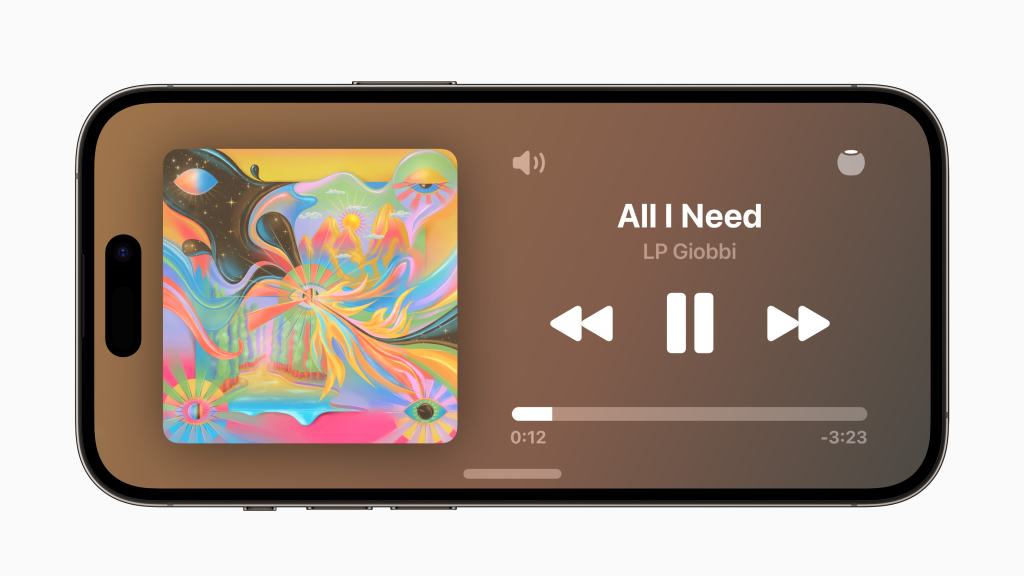
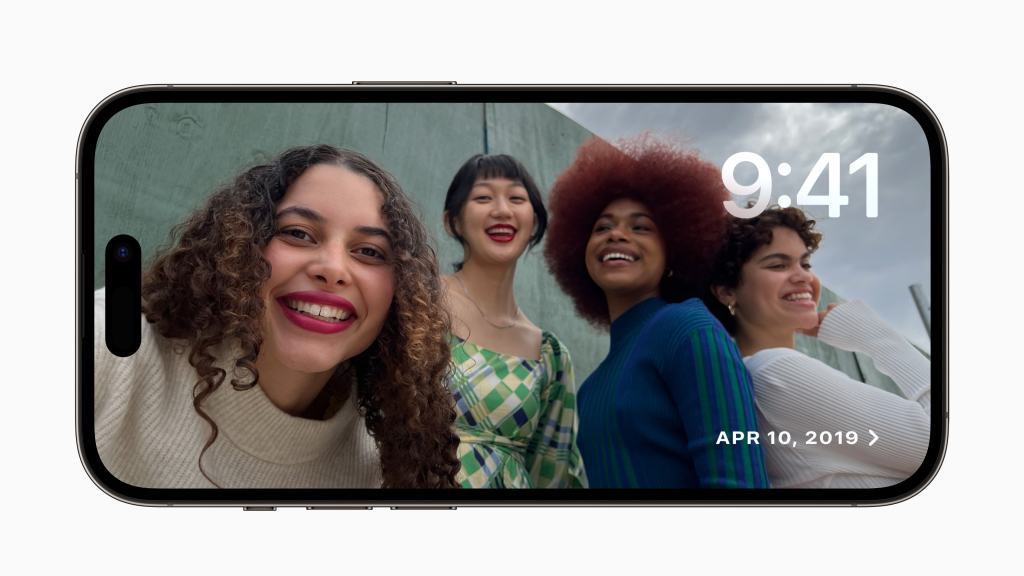
    One of the marque features of iOS 17 is Standby. Standby will essentially turn your iPhone into a home hub when charging and when placed on its side.

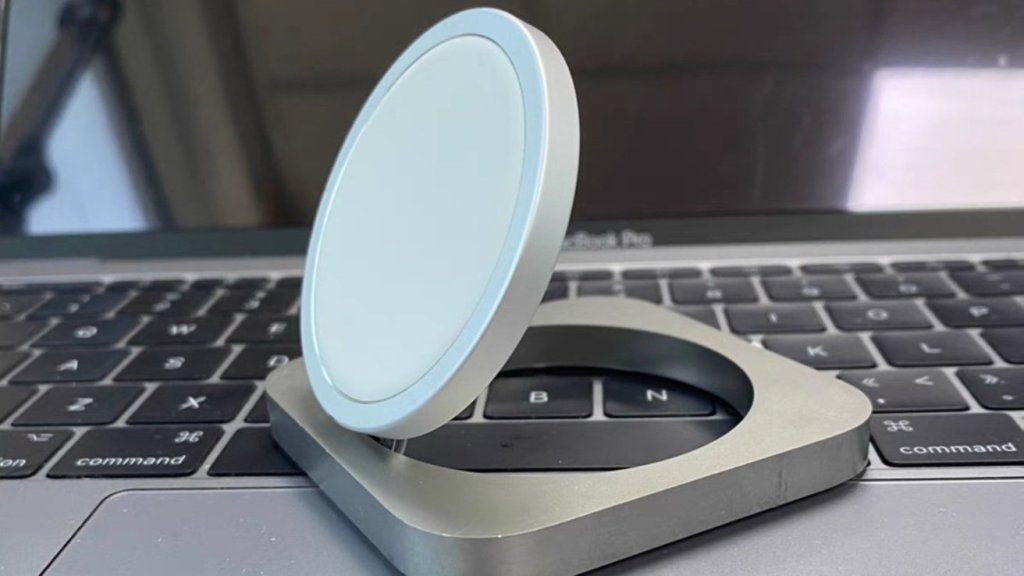
    The challenge with Standby adoption for users I anticipate will be placing iPhone on its side. No Apple designed MagSafe charger allows this currently, meaning users will need to make their own stand or purchase one from a third party. The problem with third party stands is they don’t always support MagSafe to its fullest. Usually when you see a product that says it “works with MagSafe” it just has magnets in it that allow your phone to stick to it. What MagSafe allows though is an NFC tag to be inside the magnetic ring layout that lets it communicate with the iPhone. I anticipate Apple to release a new MagSafe accessory that allows users to easily charge their iPhone via MagSafe and prop it up on a desk or kitchen countertop in either portrait or landscape orientation- the Apple Magic Charger. If you’ve been paying attention to the Apple leak scene, this product may sound familiar.

    This product was first reported by AppleInsider in November 2022 and was cancelled, “since the iPhone could only be used in landscape orientation. The MagSafe charger would either lay flat or fold open, but there was no space to stand the iPhone up in portrait.” I anticipate Apple to update the design slightly to account for the portrait issue, but even if they don’t, it solves the issue of Apple not having a landscape oriented product to encourage users to purchase and try Standby for themselves.

    The Apple Magic Charger would also be a spiritual successor to the iPhone Lightning Dock. The Lightning Dock was a fun accessory from Apple that let users set the dock on their desk and leave it plugged in and then charge the iPhone when inserted. You could even listen to music from your chartering iPhone with wired headphones that would plug into the dock itself.

    As I previously mentioned, not could Apple take this year as an opportunity to introduce a new MagSafe accessory, it could also be used to update all their existing MagSafe accessories.

    Starting with the Apple MagSafe Charger, this year I’d be great to see color matched options for your iPhone. With the MacBook Pro, Air, and iMacs having color matched power cables, it feels like the time has come for the iPhone to get the same treatment. The MagSafe Charger currently costs $40. I do hope that Apple makes a cheaper version that uses plastic rather than metal and costs $20. The plastic MagSafe Charger could continue to be sold in one color.

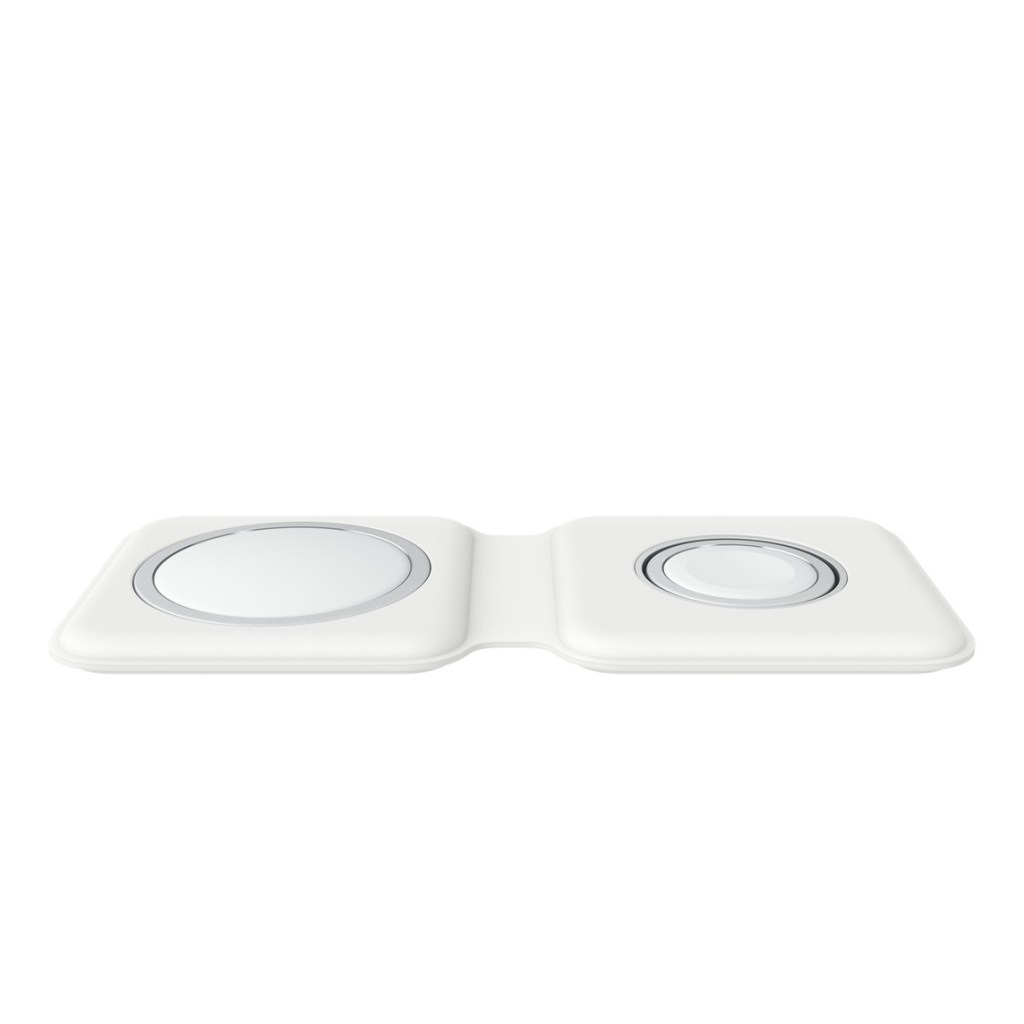
    Next up, the MagSafe Duo Charger. This was a great product when it launched in 2020 but quickly became outdated in subsequent years as the iPhone camera bump grew larger making it more difficult to precisely align it on the charger and the Apple Watch charger on the other side didn’t support the faster charging speeds of the Series 7. It also still uses Lightning to deliver power to both parts of the charger. This year, Apple should update MagSafe Duo to use USB-C to deliver power to the charger and redesign it to acclimate the larger camera bump of recent (and likely future) iPhones. Hopefully they can slo update the Watch charger to accurate the faster charger of recent Watch models.

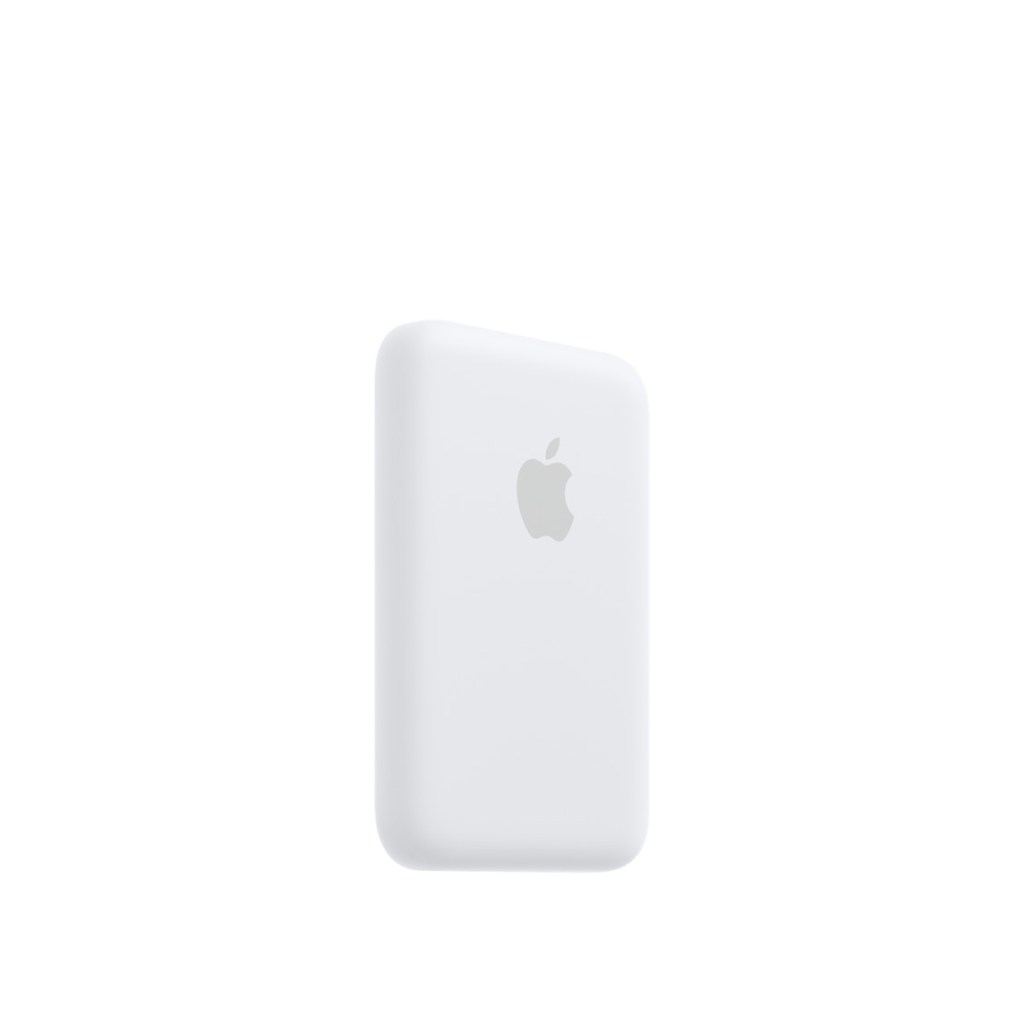
    Finally, the MagSafe Battery Pack. This battery pack is really neat if somewhat controversial. Launching in 2021 for $100, this battery pack essentially extends the battery life of your iPhone rather than focusing on recharging it. It too uses Lightning and was designed with the limitations of the iPhone 12 mini in mind. This year, I hope Apple switches it over to USB-C and allows for reverse wireless charging so it too could be set on a MagSafe charger to be charged itself. It can also be redesigned to accommodate the loss of the mini iPhones and become larger providing more battery to more of the iPhone lineup. The other great thing the MagSafe Battery Pack can gain is support for Find My, similar to the MagSafe Wallet. This way wherever you disconnect the Battery Pack that location will be pinned on the Find My map. And fi you loose your Battery Pack, someone else can get your contact info to let you know they have it.

    2023 could be the biggest year for MagSafe since its introduction, but a lot of that growth could be dependent on Apple itself as third parties have overwhelmingly opted to not support Apple in designing products that work perfectly with MagSafe.

  • macOS 14 Sonoma Preview

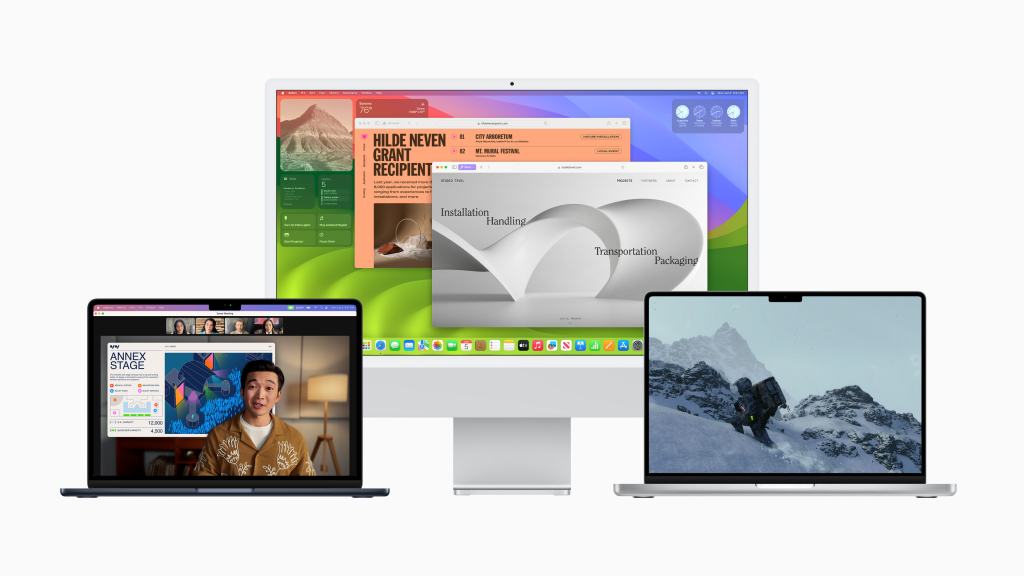
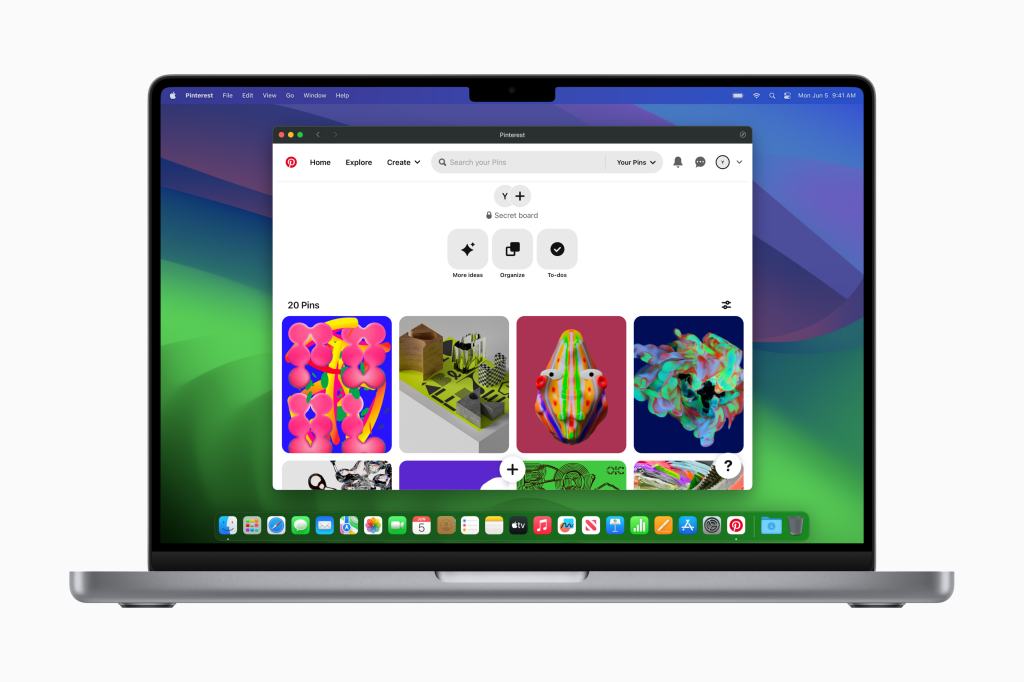
    At WWDC 2023, Apple announced the next version of macOS. And with it, came a new name based on a location in California. In my prediction post, I had hoped that Apple would go with macOS Sonoma. And in a surprising turn of events, I was spot on! Here is a preview of macOS 14 Sonoma. What changes are being made, what devices will support the update, and what things can Apple do to continue to make macOS even better?

    This preview is based on my usage of macOS 14 Sonoma developer betas 1 and 2 using an 14” M1 Pro MacBook Pro. This is beta software and features are subject to change.

    So what has changed? Not nearly as much as any other Apple OS. Which makes sense, macOS has been around for decades and the personal computer is a very, very mature platform. The room for changes and improvements just isn’t as big as most other platforms Apple maintains. But there a few changes I do want to talk about. 

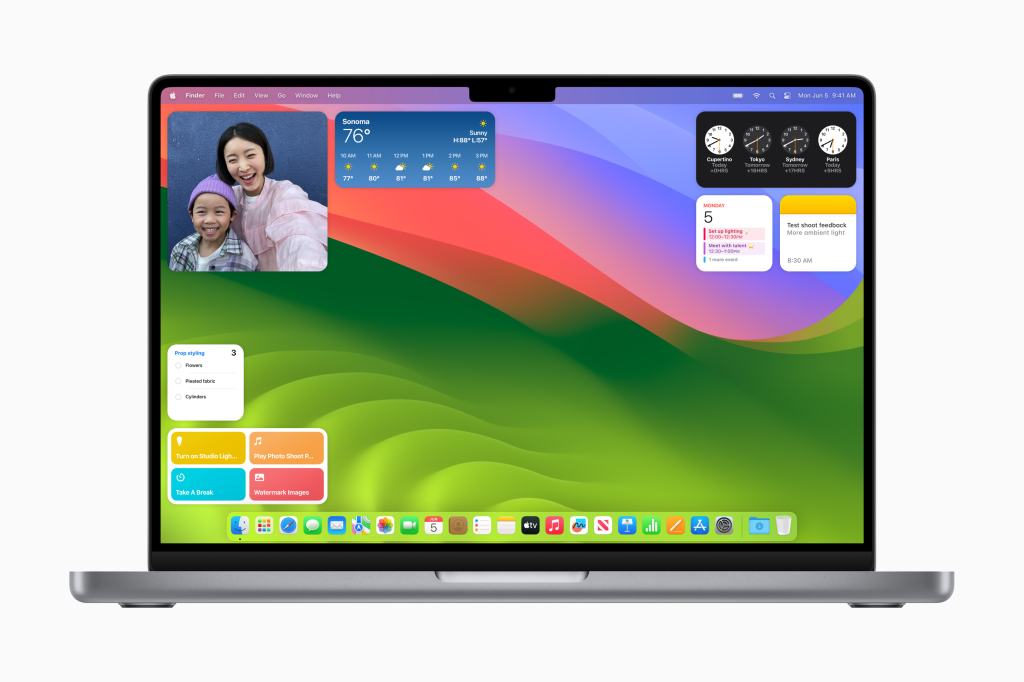
    The first has to do with widgets. This year, Apple is returning the ability for users to interact with widgets directly. In 2020, with macOS Big Sur, Apple completely revamped widgets on their platforms and as part of that overhaul, widgets could only display content from its associated app. Clicking on it would only open the app itself. Now, in a move to undo that overhaul to widgets, you can now interact directly with widgets. The most common use for this right now is with Reminders. You can pull up Notification Center and scroll down to your Reminders widget and mark a task as complete. It is nice, but does make me wonder why Apple removed the ability to interact with widgets in the first place. 

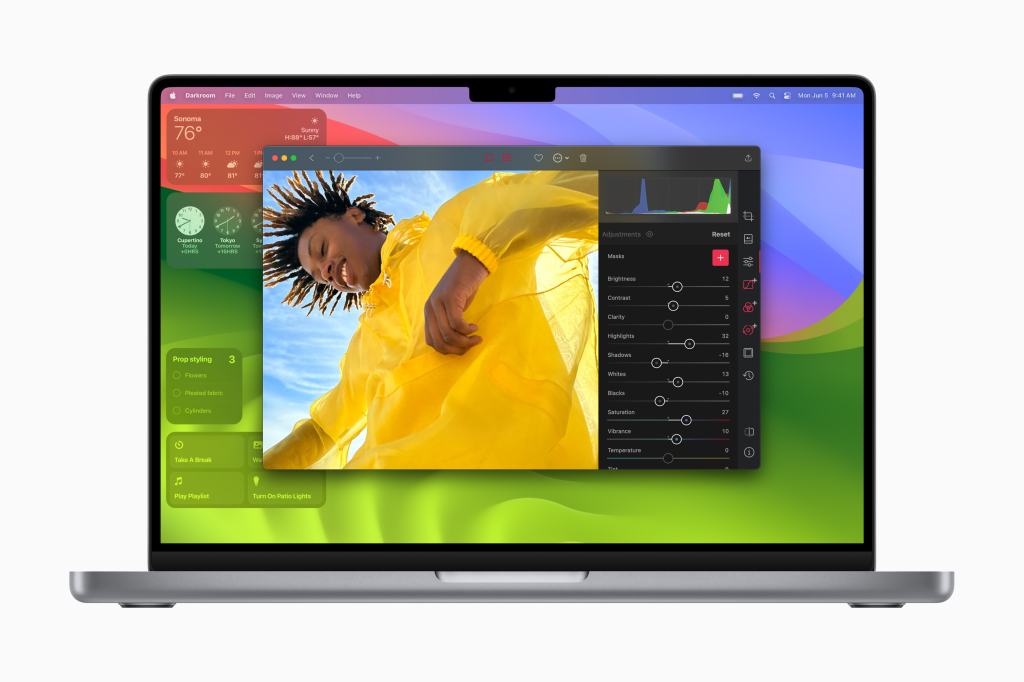
    Widgets can also now be placed on your desktop! This was another feature I wanted back in my predictions post and it is certainly nice to have. I can see some users placing a ton of widgets on the Desktop and using it as its own workspace. Personally, I keep a Photos widgets to add a touch of personal flair to my Desktop as I only use the built in wallpapers. 

    The final change to widgets is really, really cool. You can now add widgets to the Desktop or to the Notification Center that originate from an app on your iPhone. The Crumbl Cookie app for example, has a widget on iPhone that lets you see this weeks selection of cookies and tapping it lets you place an order. I can add that Crumbl widget to my Mac to see that menu right on my desktop. No app required on the Mac. It is a great evolution of the Continuity features Apple has been introducing over the past nine years. While this is the only use of this iPhone-to-Mac extension technology, I am excited to see how it evolves next year. Maybe we can finally get iMessage Apps on the Mac. 

    The next big area to focus on is video conferencing improvements. While I will be using FaceTime as the frame of reference for these features, they will work with any video app like Zoom, Webex, or even OBS without any work by the developers of those apps. All these features are built into the way Apple passes camera data from the OS level to an individual app. One of these is Reactions. You know those iMessage effects like balloons or fireworks? Those are coming to video calls! You can activate them with hand gestures. If you give a thumbs up in a video call, it’ll add a big blue thumbs up to your background. Or if you give two thumbs up for a second or two, it’ll trigger a fireworks effect in the background of your call. It’s really fun and will certainly make your video conferences much more enjoyable!

    There’s also some changes with how displaying content works. You can share your screen like normal, or you can put yourself into a little bubble that just floats on top of the screen you are sharing so everyone can see what you are sharing, but not lose track of you. Or, even better yet, you can use a new Presenter Overlay to share your screen and put yourself on top of it so you can point to it like a whiteboard all while staying in frame. It’s really, really nice. 

    Finally, web apps are getting some improvements on Mac this year. I did not see Apple ever embracing web apps, in fact I foresaw them going to war with them, but here we are. On most any website, Twitter for example, you can go to the File option and hit “Add to Dock” and it’ll reformat the website as a web app and save that website as an app icon in your Dock. It’ll even open it up just like an app and allow that website to send you notifications. It’s really impressive. 

    There are several more changes than what I’ve covered here as well. Many of these changes are not macOS exclusive however and make more sense to put into different previews. Apple has improved the way users can work with PDFs in the Notes app, for example. Which is nice, but I really just want Apple to create their own version of Adobe Acrobat. Maybe even build that into Preview. There are many gaming related projects that Apple is launching with Sonoma, but I am not able to test those yet as the technology has only been available to developers for a few weeks now. But the early reports from other journalists and developers make it sound promising. 

    Overall, I like these changes. I don’t think macOS Sonoma will go down as one of the best or biggest updates the Mac has ever gotten, but I think people will appreciate the work Apple is putting into the usability and quality of life improvements of the software. If you are like me and your job is spent in meetings all day, a lot of the video conferencing changes are quite nice to have. And Apple is keeping the Mac an open system by allowing you to install and use any software you’d like- weather it be a modern fully optimized Apple Silicon app or one running through emulation in Rosetta 2 from the Intel days. Is there an app that you enjoy on iPad and iPhone that you like to have on your Mac? It’s available in the App Store. Even if you need a web app, Apple is now making that experience even better in Sonoma. Combine all of this with the amazing Apple Silicon chips Apple has in their machines and I can confusedly say that the Mac really is the best productivity machine you can buy. 

    There are some caveats to macOS Sonoma however. It will only run on a handful of Mac models. In general, you need a Mac from 2018 or later. Apple is clearly working to drop their lineup of Intel Macs as quickly as possible. And a lot of the video conferencing features specifically, though there are more, will not be coming to the Intel Macs in the first place. Meaning fi you do have an Intel Mac, this update may just not be worth it to you which is a shame. 

    There is plenty of room for improvement in future versions of macOS. The big one is the growing number of missing apps compared to the iPhone and iPad. Great examples include the Translate app, the Health app (which is only this year coming to iPad), the Fitness app, and even Tips and Wallet are all missing. There are still a lot of missing widgets as well. For example, Books and Music are missing. You can’t even add the iOS version of these widgets to you Mac either. It makes switching between all your Apple devices just a little bit harder and a little bit more annoying. I hope in future versions of macOS Apple does work to make switching between the different platforms that much easier. 

  • tvOS 17 Preview

    Two weeks ago at WWDC 2023, Apple unveiled tvOS 17. This free software updated will be coming out to all Apple TV users later this fall, but I have installed the developer beta on my own Apple TV to test it out and provide this preview for you all. 

    At the time of writing, I am currently using the Apple TV 4K (2nd generation) with the A12 Bionic chip and I am currently using tvOS 17 Developer Beta 1.

    So what will be changing in tvOS 17 this fall? The first thing I think users will notice is the updated Home Screen grid. The new Home Screen layout changes the grid from being 5 app icons wide to 6, allowing you to see more apps on your TV screen at once. It also allows you put an additional app in the Top Row to quickly jump into content if the chosen app supports that feature. 

    The second thing users will notice is the new Control Center. There’s a lot new going on with the Control Center, so I’ll do my best to break it all down. On the Home Screen it now persistently shows the time and current user- which is great. When the TV button is pressed and held, it’ll now drop down from the top right of the screen rather than taking over the right fifth or so. Unlike the old Control Center, where everything was on one large page, the new Control Center features multiple pages. On the left is a spot to control your Home. View your camera feed or activate Scenes. In the middle is the default area for your system controls, but I will come back to this in a moment. And on the right side is where you can switch between users. If you have anything playing, like music or a movie, an additional Now Playing option is added on the far left where you can see what is playing and from what app. Clicking on it will take you right back to that app. You can also pause or skip forward right from Now Playing as well. 

    But back to that updated default area for system control. You now have 9 options all on this nice little platter. By far the biggest option available to you is to power off your Apple TV. It is nice to have, but it is also interesting to see Apple transition from wanting the Apple TV to be this always on device connected to your TV ready to AirPlay content or open an app at a moments notice to a device you now turn on and off. You can also AirPlay to a different device if you so choose like AirPods, a Mac, a HomePod if its not the default already. It’ll also show what internet you’re connected to, even if you are connected via ethernet. You can also turn on Do Not Disturb but I’m not sure what this does at the moment as Apple TV doesn’t send notifications and it dose’t share that status across your other devices. That may be a bug though, not sure. You can also set a sleep timer now, which I’m sure will be a greatly appreciated feature. It can be set for 15, 30, 60, or 120 minutes. There is no option to set a custom timer. Then we get into the smaller options, like settings for paired game controllers, accessibility settings, system restrictions, and a shortcut to the Search app which I’m sure somebody out there uses. 

    I think it is now time to move onto some new apps. Or app- singular. This year FaceTime will be coming to Apple TV. This works in a really fun way. You open the app and it prompts you connect to an iPhone or iPad and then it’ll open a Continuity Camera session putting your other devices video feed on the big screen. You can start a call from your recent FaceTime call history or search for another contact. You can turn Center Stage on or off, Portrait Mode on or off, and you can turn Reactions on or off. It all looks and works pretty nice. 

    You can even begin a SharePlay session from your FaceTime call and keep everyone on the call in a split view with whatever content you are SharePlaying. It’s really really cool and I cannot wait to use this feature with my family.

    There are other new features concerning audio enhancements and VPN usage that I am unable to test as there is, to the best of my knowledge, no HomePod Beta Software for developers. And as VPN support will require an app download and no VPN apps are able to be listed on the tvOS App Store until later this fall, I also cannot test that. 

    The other thing I wanted to note is that I cannot confirm if all of these features will be coming to all Apple TV models. I have been using my second generation Apple TV 4K, but I do worry about the Apple TV HD and its ancient A8 chip with features like FaceTime and SharePlay. That’s a lot of system resources for what is basically the equivalent of an iPhone 6 to handle. Especially when iOS 17- which tvOS is forked off of- is only coming to devices with the A12 chip. 

    So overall, I am very positive about these changes. I like the new Home Screen grid and the redesigned Control Center is very nice. FaceTime on the Apple TV looks to be implemented in a really nice, social way. And it is great that all Apple TV models will get at least some improvement even 8 years later. And the features or changes I can’t test do sound good on paper. This probably is going to be the biggest tvOS update since tvOS 13. 

    However, I do wish that Apple had done a little more here. Multiuser support is unchanged- it remains as mildly frustrating as ever. Though it is easier to see whose account is being used which is a slight improvement. There still is no Screen Time support or additional profile account protections for adults or kids. I do feel like Apple addressing the long-distance social aspects of TV is great, but I hope next year they can focus more on the in-home social aspects of TV. 

  • The New Mac Lineup (Summer 2023)

    At WWDC last week, Apple unveiled the final Mac to get Apple Silicon- the Mac Pro. The latest 4th generation Mac Pro now comes with the M2 Ultra chip inside and as it went on sale this past week- the Mac transition to Apple Silicon that began just two and a half years ago- is now complete. It is no longer possible to buy a new Mac from Apple with Intel chips inside. 

    I figure now is as good of a time as any to review the current Mac product lineup and see where the strengths and weaknesses are. So without further ado, lets start with Apples laptop lineup, the MacBooks. 

    I like the way Apple has organized their chart laying out the low end, entry Macs on the far left and their primer high end expensive Macs on the far right. So lets start at the left with the 13” MacBook Air with the M1 chip. This Mac is still actually really nice! Yes it came out in 2020 and yes it reuses the design of the MacBook Air that came out in 2018, and yes it still has the M1 and not M2 chip, but the M1 chip is still very, very good. The design is a little long in tooth, but it’s not bad by any means. And it has an amazing price starting at just $1,000. Students, who year after year buy the MacBook Air in droves, can pick it up at just $900. It’s a really nice Mac for those on a budget and who don’t need the latest in Apple technology. 

    We then come to the 13” and 15” MacBook Air with M2 chips. These Macs I also really love. The default Mac for most people to buy should probably be the M1 MacBook Air. If you are able to spend an extra $100 on the M2 version, you defiantly should. The screen is a little larger, the design is a little better, the processor is a little better, everything is just a little better. Remember what I said about students buying the MacBook Air in droves every summer? Yep- this is a fantastic option as well. And unlike the M1 model, it gets even better. For $1,300 you can get the exact same Mac but in a bigger 15” size. I expect this to also be popular with students, but I think offices and people with vision problems will love this Mac as well. 

    Next we come to… oh no. The 13” MacBook Pro with M2. This is the first MacBook in this lineup that dose’t make a ton of sense. It is most comparable to the 13” M1 MacBook Air. Unlike the MacBook Air though, this MacBook Pro has the same design that it had in 2016, which is very outdated and very controversial, and while it does have the M2 chip, it dose’t have the more powerful versions that its bigger and newer brethren have. It starts at $1,300 so you might as well get the 15” M2 MacBook Air with a bigger screen for the same price, same chip, and same port selection and get a better design at the same time. 

    Finally, we come to the 14” and 16” MacBook Pros. Oh boy! These are some good Macs! In 2021 when these models were introduced with the M1 Pro and M1 Max chips, the whole marketing campaign was focused on picking your size, picking your chip, and letting it rip. And that remains the case today. The two sizes can be configured to be identical with the only difference being the size (obviously) and the battery life. Everything else is equal between these machines. They are expensive starting at $2,000 and can be configured up to $6,500. But the power they offer users is unmatched by anything expect the higher end desktop Macs. If you are a professional and need the absolute best computer money can buy, these are your Macs. 

    Overall, the MacBook lineup is in a pretty health state. With the 13” and 15” MacBook Airs and 14” and 16” MacBook Pros, Apple has learned an incredible lesson- people love size options and don’t want features exclusive to bigger sizes of the same product. This is something they had struggled with in the previous generations of Macs from 2016 to early 2020. Compared to the lineup then, this lineup is a complete 180 turn. There is still room for improvement. Last week Apple dropped the 13” M2 MacBook Air from $1,200 to $1,100. I hope this trend continues and next year we can see the M1 MacBook Air discontinued and fully replaced at its $1,00 price point by the M2 MacBook Air. It may even come with an M3 chip. That’d be great! And I hope also that Apple discontinues the 13” M2 MacBook Pro. It has no real place in the current lineup and while yes, it acts as a bridge price wise between the Airs and the high end Pros, it dose’t offer anything that would make you choose it over any other option it sits between. 

    Next, lets look at the desktop Macs. This encompasses everything from the all-in-one iMac to the to top of the line Mac Pro tower. Similar to the laptops, Apple has arranged them with the entry models on the left and pro models on the right.

    First up, the iMac with M1 chip. This is a nice computer, but I do feel like its a bit of a niche product. It is aimed at people who need to share a home computer with other users, grandma and grandpa who need a simple to use desktop computer, and those who need a desktop to work from home. The colors are nice and the design is great. My have three problems with the iMac that make it difficult to recommend to anyone. One, the colors. The lack of a black option is disappointing and the mismatched front and back colors are odd to say the least. Second, it still uses the M1 chip. It really wouldn’t be hard for Apple to swap the M2 into this thing. Third, it comes in only one 24” size. As we’ve learned with the laptop lineup, people love having size options! Why not introduce a bigger models? Overall, at $1,300, the iMac is hard to recommend. It’s not bad, but it could be so much better. 

    Next, the Mac mini. This is a fun product. It starts at a super affordable $600 and you can choose either the basic M2 chip or spend more and get the M2 Pro chip- the same chip as in the base 14” MacBook Pro. I really have no complaints with the Mac mini. It is affordable and has a small design. I could go for an even smaller design or a space gray color option, but otherwise, it is a nice Mac. 

    Mac Studio, the latest totally new and original Mac product in years. It offers the M2 Max chip, same as in the 16” MacBook Pro, but can be configured to the M2 Ultra chip. The Ultra is just 2 M2 Max chips fused together. But that’s a lot of power in one chip. If you are a professional user who needs the best, the Mac Studio with either chip is probably the best for you. 

    Finally, we come to the Mac Pro. This product is quite an oddball. The design is reused from the Intel days where it could be configured with new CPUs, GPUs, RAM, hard drives, the Apple Afterburner card, and whatever else you wanted, Apple Silicon dose’t allow for that. This generation Mac Pro comes with an M2 Ultra chip and more PCIe slots, but with virtually none of the expandability. The only things you can use the PCIe slots for on this new model are I/O expansions and hard drives. No CPU upgrades, no GPU upgrades, no RAM upgrades. None of it. Because of this, I don’t know why Apple introduced this model. Apple probably would have been better off ending the Mac Pro and letting the Studio replace it. 

    Overall, the desktop lineup is good. The Mac Studio is a standout product. The Mac mini is great. But the lack of any upgrades to the iMac from 2021is disappointing. I’d love to see new colors and sizes in the future. And the Mac Pro is so bizarre I’m left to wonder why it exists in the first place. There is one notable thing missing from this desktop lineup compared to a few years ago. All the all-in-one Macs. In the Intel days, we used to have different sized iMacs and an iMac Pro. But now we are left with one. I’d love to see a beefed up iMac with the M2 Pro or M2 Max chip to fill that iMac Pro hole in the lineup. 

  • WWDC 2023 Recap

    The Biggest Apple Event since 2016

    Apple’s worldwide developer conference (WWDC) keynote has officially ended. For the remainder of the week, developers, journalists, influencers, and others invited to Apple Park in Cupertino, California will be sitting in on sessions to get familiar with changes coming to iOS 17, iPadOS 17, tvOS 17, macOS 14, watchOS 10, and an all new platform, visionOS. Many will also be getting a hands on with the new MacBook Air, Mac Studio, and Mac Pro that were unveiled. And I suspect several attendees will also be getting a hands on (or more appropriately a heads on demo) of the latest hardware product Apple is adding to its portfolio, Apple Vision Pro. These software and hardware announcements have easily made this the biggest Apple Event since at least the September 2015 Event where Apple announced iPhone 6 and iPhone 6 Plus, Apple Pay, and previewed the first generation Apple Watch and watchOS.

    Apple Vision Pro

    Easily the biggest news of the WWDC 2023 keynote came at the very end when Tim Cook used the words made famous by his predecessor Steve Jobs, “We have one more thing.”

    “Apple today unveiled Apple Vision Pro, a revolutionary spatial computer that seamlessly blends digital content with the physical world, while allowing users to stay present and connected to others.”

    Apple Press Release, June 5, 2023, “Introducing Apple Vision Pro: Apple’s first spatial computer”

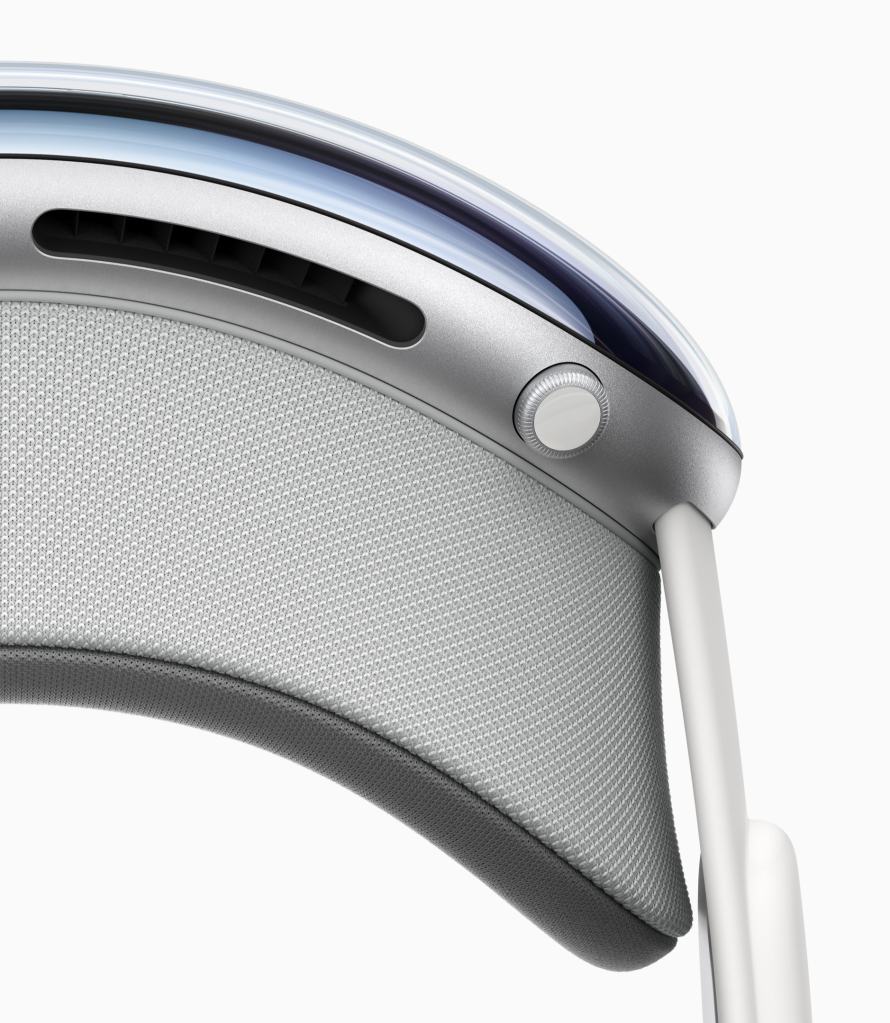
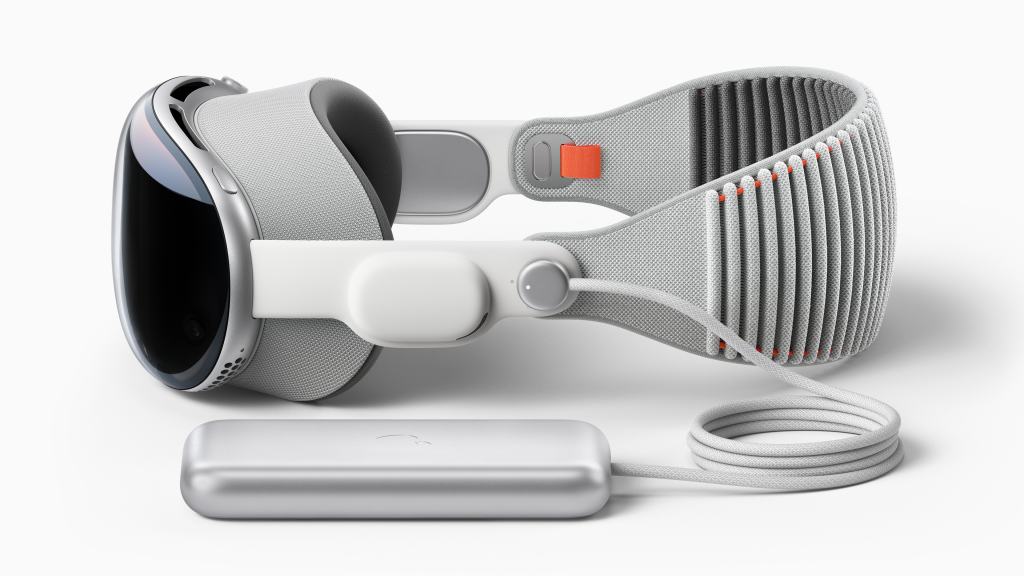
    Apple Vision Pro is described by the company as a “spacial computer” but it is probably best described as an augmented reality (AR) headset. Many details about the headset are not currently know, but that is to be expected for a product that will not ship until early 2024, similar to the launch timing of the original Apple Watch. We do know that the product starts at a jaw-dropping $3,500 price tag, not including the prescription lenses that you may need to use the device or any other potential upgrades. The headset is made up of several different pieces that Apple claims creates a modular system. The first part is the head band that can be detached and replaced with another in a different size. The second is the audio strap that puts a speaker right next to your ear. The third is the light seal which conforms to your face to block out all stray light. Fourthly is the enclosure that houses the lenses, screens, M2 and R1 chips, and all the cameras and (presumably) LiDAR sensors that make the entire experience possible. And finally, the battery pack that will deliver a maximum of 2 hours of battery life. All these pieces combine to create the singular Apple Vision Pro headset.

    As someone who has not, and will not, go hands on with the device for many more months, I am reserving judgement not he product until I do so. However I do have many questions about this product though. More to come.

    iOS 17, iPadOS 17, tvOS 17, macOS 14, and watchOS 10

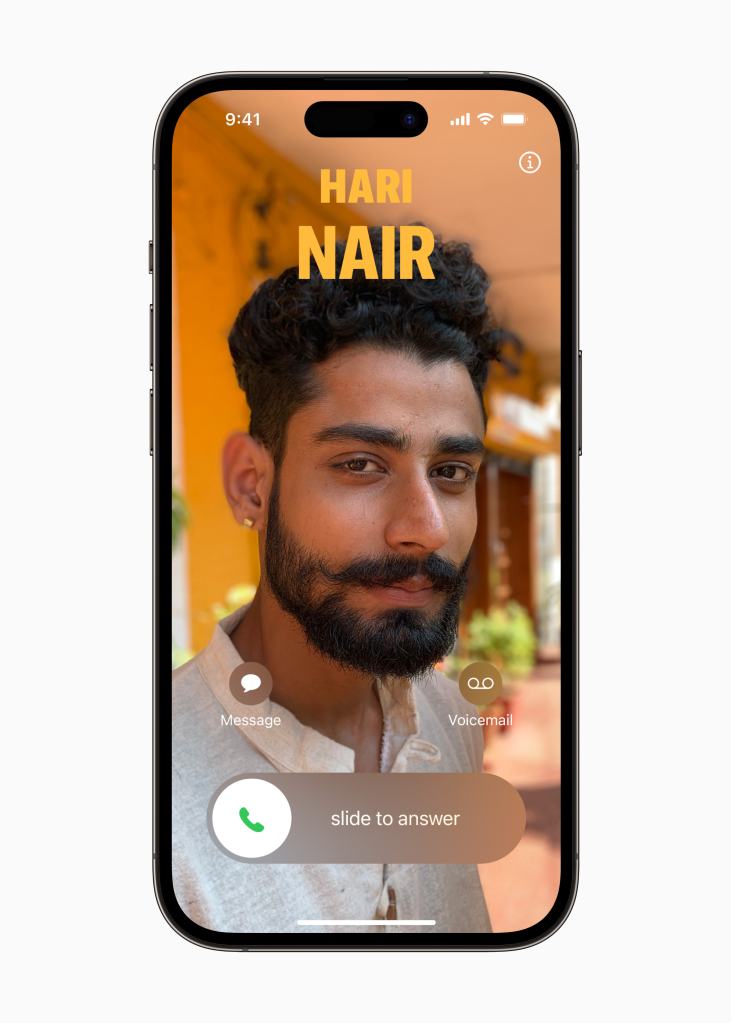
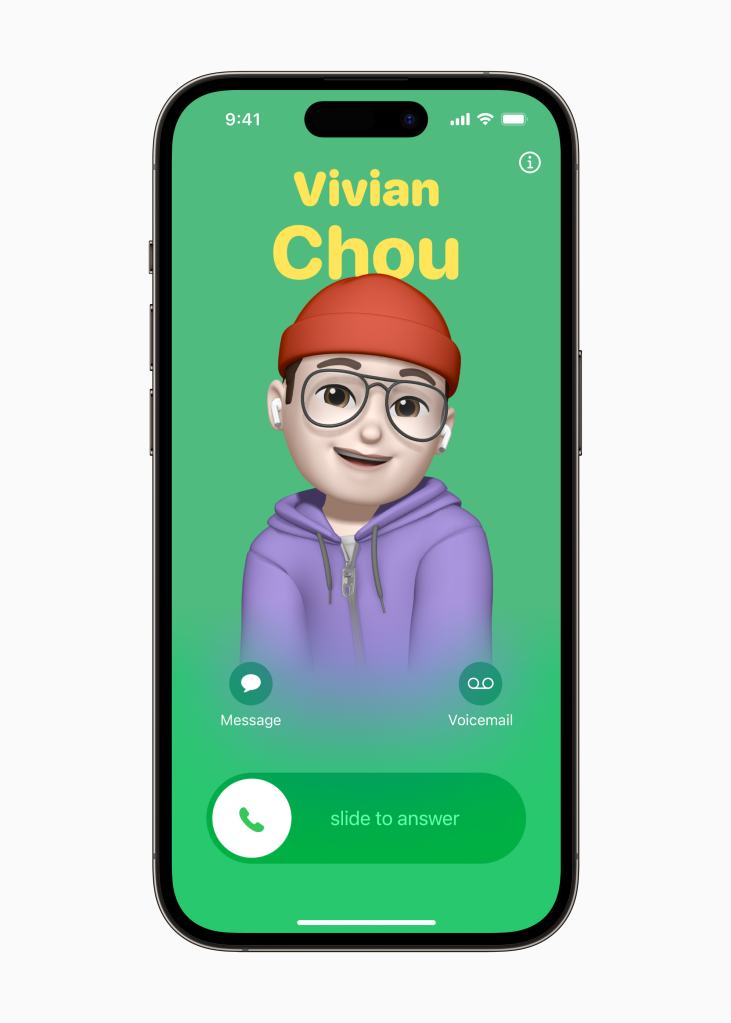
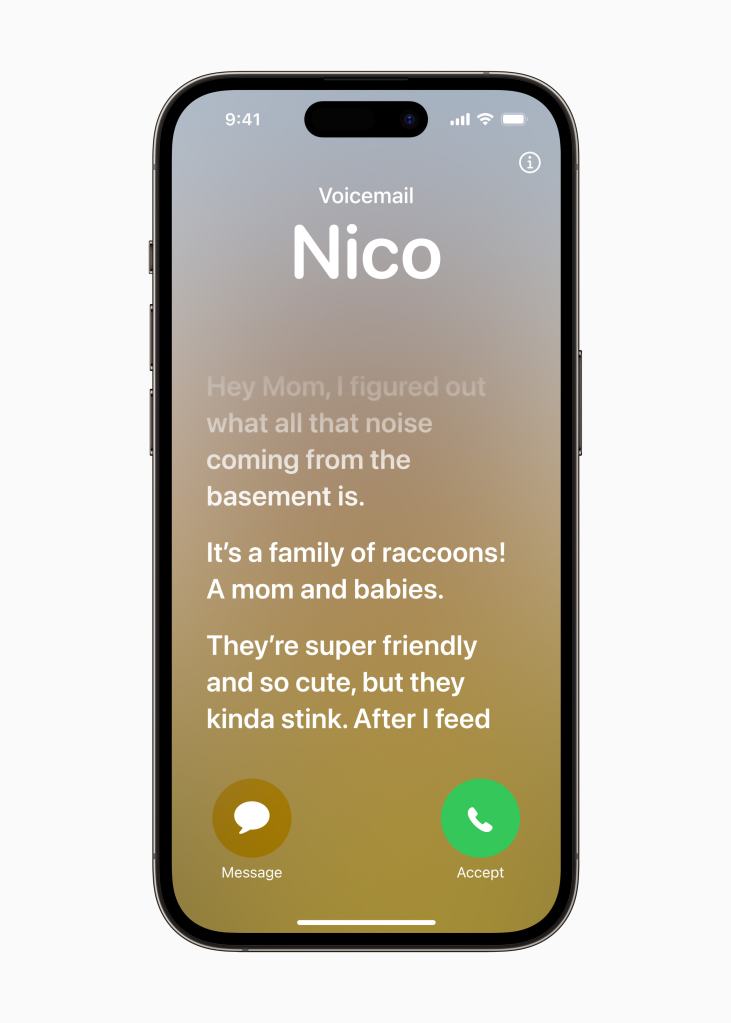
    These platforms are par for the course at most WWDC conferences and in line with that, they all made appearances in the keynote. The changes this year seem relatively light compared to several past years, but there is still a good handful of changes and new features coming to everything. iOS, for example, has a new feature called “Standby” that allows it act a lot like a home hub with a screen from other companies like Google and Amazon. There are a lot of personalization and social features coming across the system, like creating stickers from Photos that can be accessed from the Keyboard in any app and the ability to create a custom incoming phone call interface. It is all pretty neat.

    iPadOS 17 once again finds itself playing catch up to iOS 16 from last year, finally getting many of its features from last year like customizable Lock Screens and support for the Live Activities API, but many of this years features also come over this year like the keyboard changes and social features. Unlike previous years where there has been at least one standout iPad exclusive feature, there isn’t one readily presenting itself this year. It does make me wonder why Apple gave the iPad its own OS in the first place if it regularly can’t keep up with iOS and rarely gets its own improvements.

    tvOS did make an appearance, something that it infrequently does. The Home Screen can now fit more apps than it does now, in addition to a new Control Center. There is also a new feature to find the Siri Remote and Continuity Camera comes to tvOS allowing users to take FaceTime calls right on Apple TV with video coming from a connected iPhone camera. It works with many apps to offer a new side-by-side/SharePlay view so you can see both your friends and the content on your Apple TV. It’s actually pretty neat.

    macOS 14 got many of the improvements that are coming in iOS 17 as well as many new fun video conferencing features. There are also many Mac specific adoptions of other OS features like widgets now being able to placed on the desktop, the Lock Screen looks more similar to that of iPadOS and gets the Screen Savers from tvOS. It’s really neat! And yes, Craig was happy to share the name of this release; macOS 14 Sonoma. I called it!

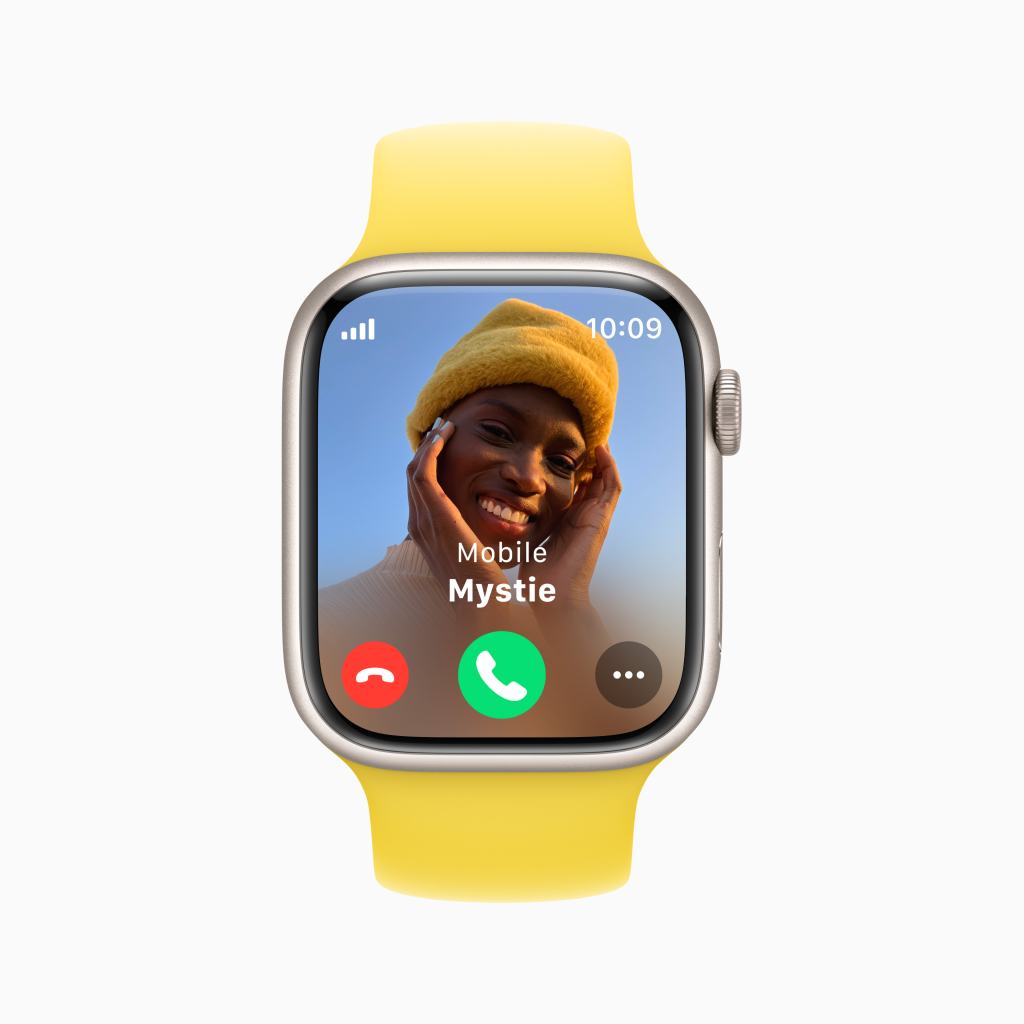
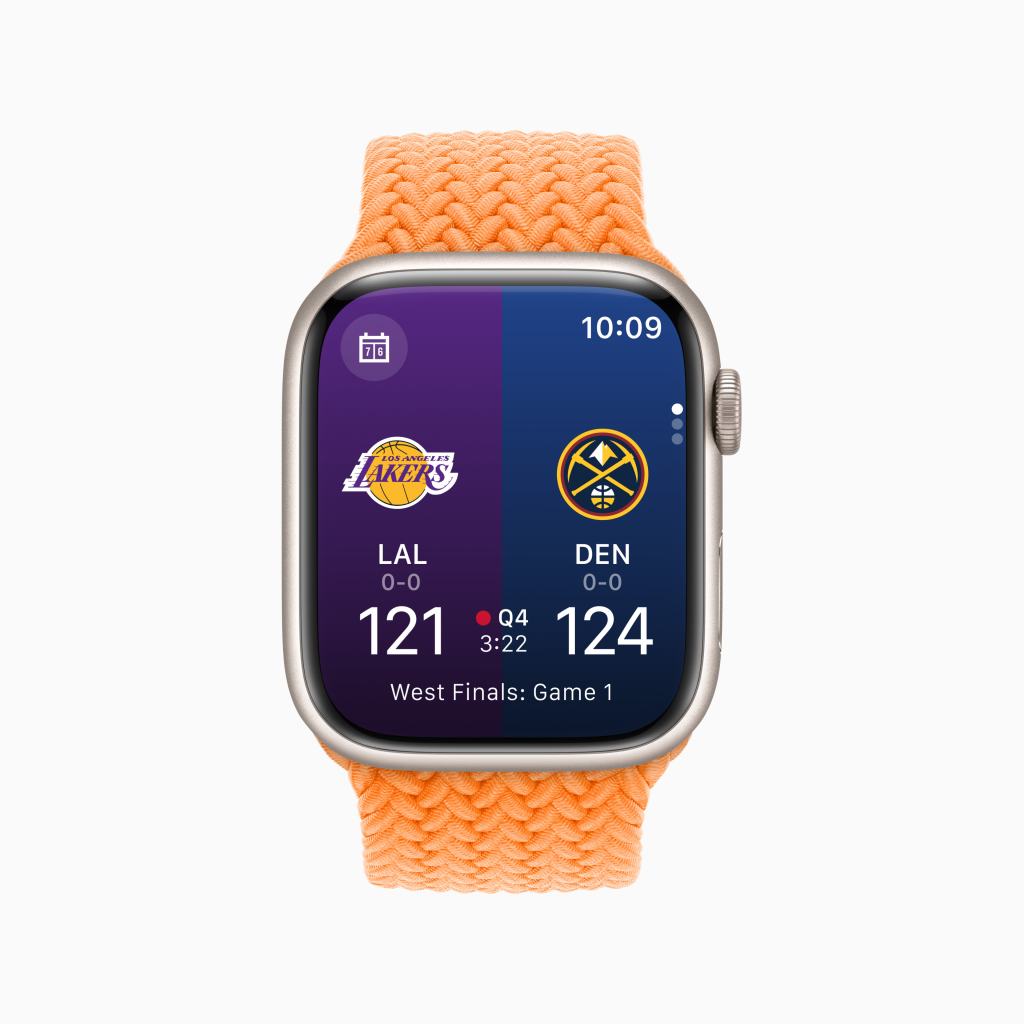
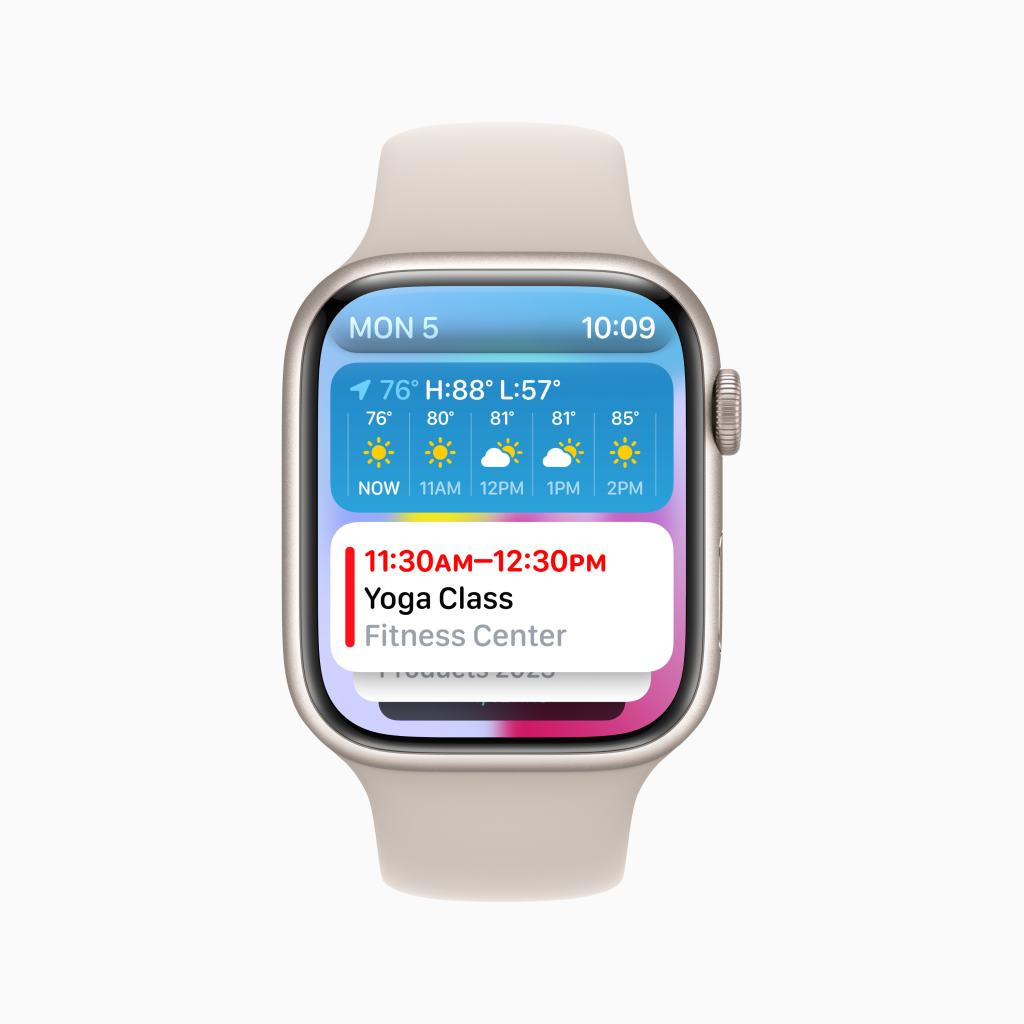
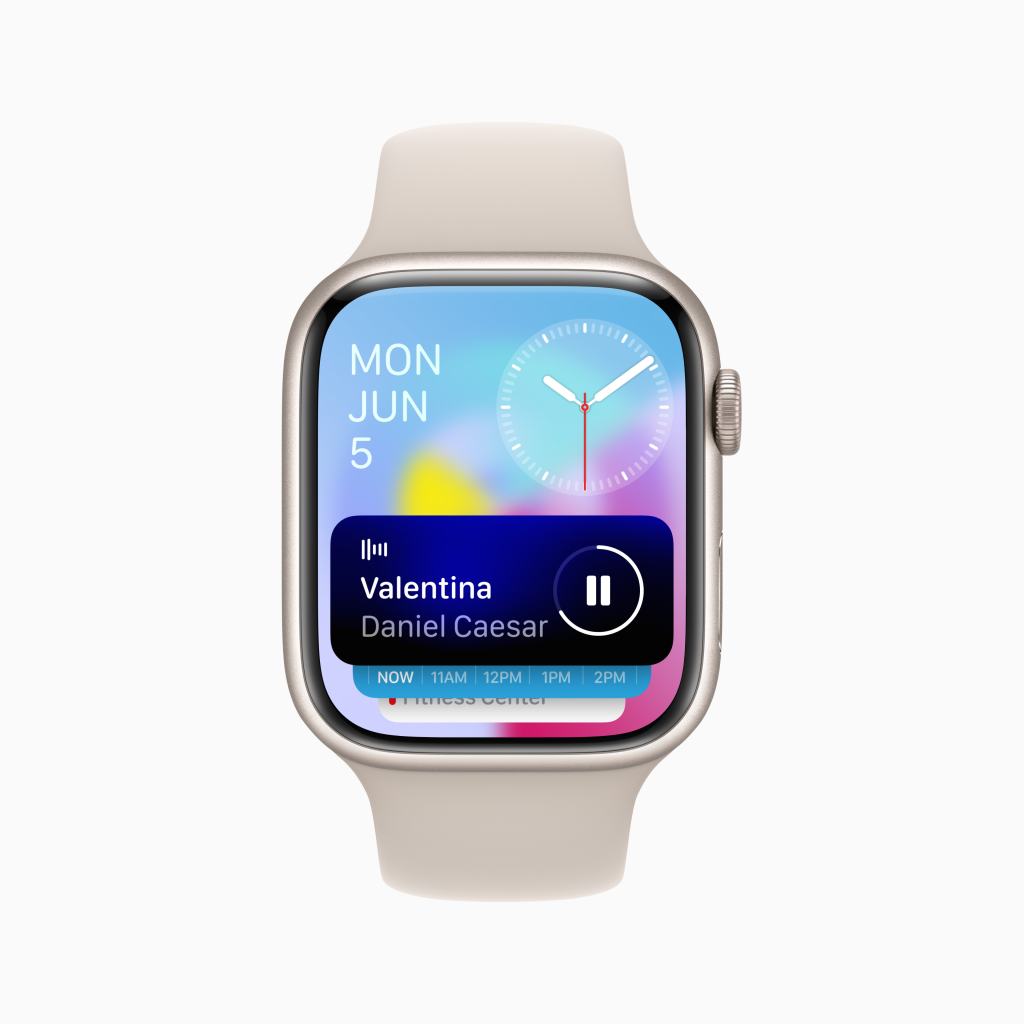
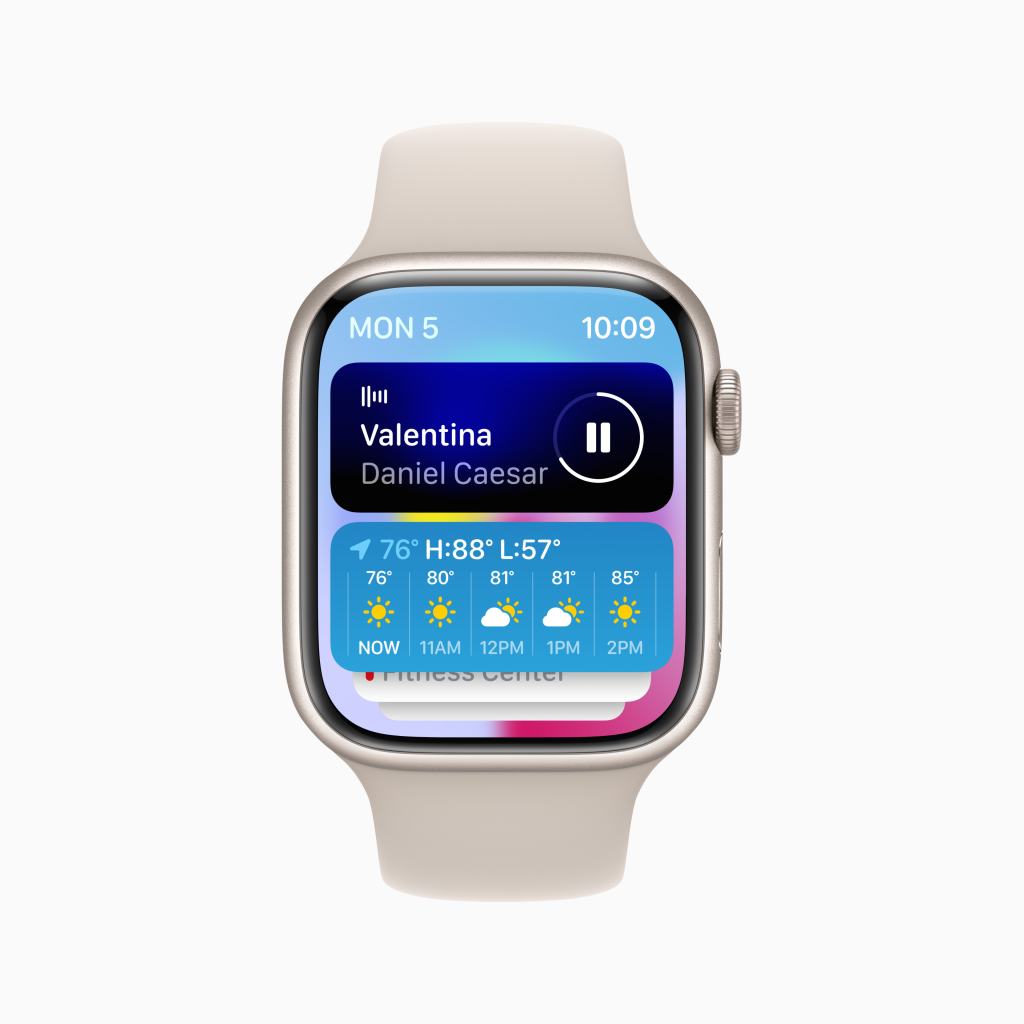
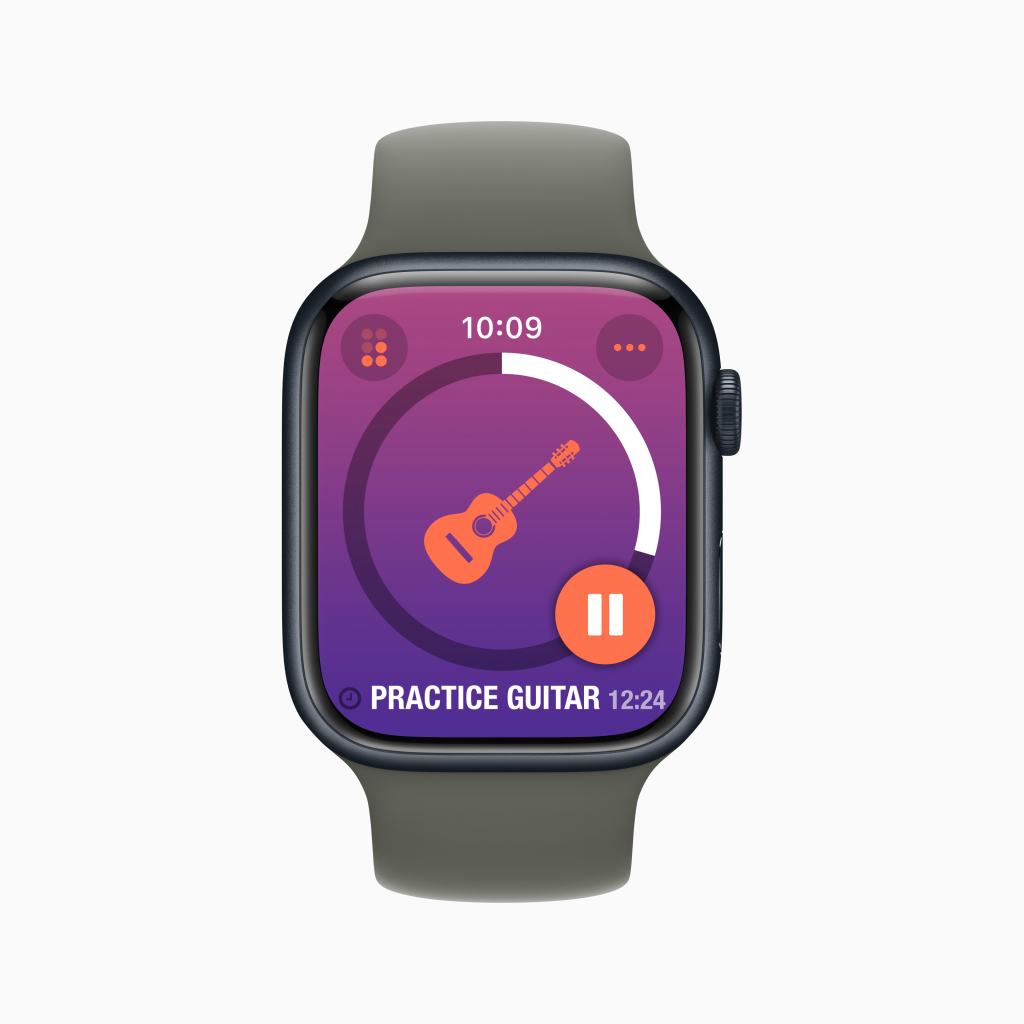
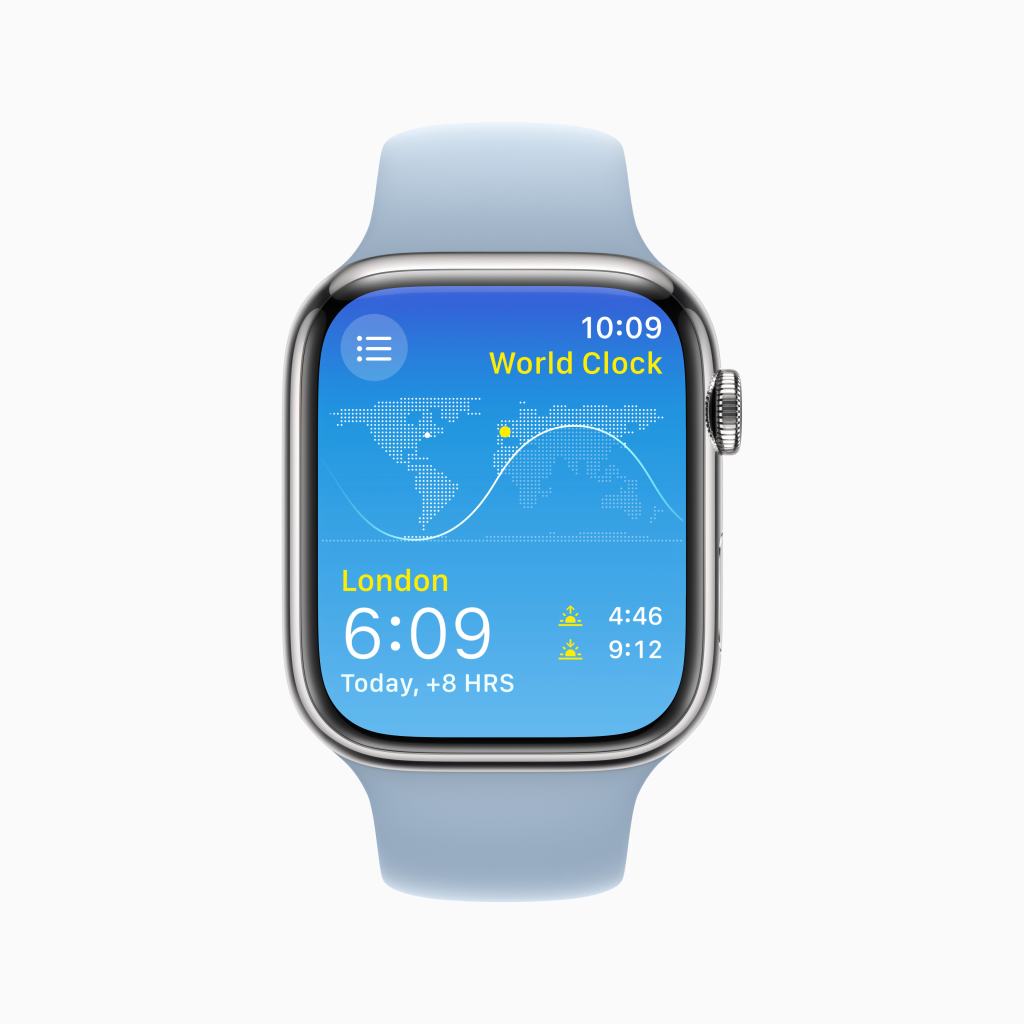
    watchOS probably got the biggest reinvention of all the platforms this year. Virtually all Apple apps got an all new design, the Smart Stack was introduced- merging the iOS widget Smart Stack feature with the Siri Watch Face design and the Dock- that can now be found on every face by using the Digital Crown. The Side Button now invokes Control Center and the Home Screen got facelift as well, retaining its bubbly grid layout but it’s now larger. I am eager to go hands on with this update in July.

    The Apple Silicon Transition is now Complete

    Back at WWDC 2020, Apple officially unveiled their plans to transition the Mac from Intel to Apple Silicon. At the time, they provided developers some guidance on how the transition would work.

    “Apple plans to ship the first Mac with Apple silicon by the end of the year and complete the transition in about two years.”

    Apple Press Release, June 22, 2020, “Apple announces Mac transition to Apple silicon”

    At the time, Apple estimated the transition would take 2 years (ending at the end of 2022), but this did not come to pass. Today however, 2.5 years later, the transition is now complete as the Mac Pro has finally made the jump to Apple Silicon. In addition, the Mac Studio got upgraded with the M2 Max and all new M2 Ultra chips. I will dedicate more time to the significance of the Apple Silicon transition now being complete, as well as how the Mac Pro made the jump, in a later post, but I do not want to diminish the huge accomplishment Apple has made by completing this transition.

    My Standout Favorites

    As I reflect on what will be most impactful to me as a consumer when this software comes out this fall, I think watchOS 10 will be much more pleasant to use though I do worry how Apple changing the basic functions of Apple Watch will sit with users.

    The Standby feature of iOS 17 doesn’t look quite right to me. It seems like nothing is properly in proportion to anything else on the screen and it seems quite complicated to navigate. It generally feels like a feature Apple is shoving though the backdoor of iOS to eventually bring to iPadOS and/or another new product line for the home.

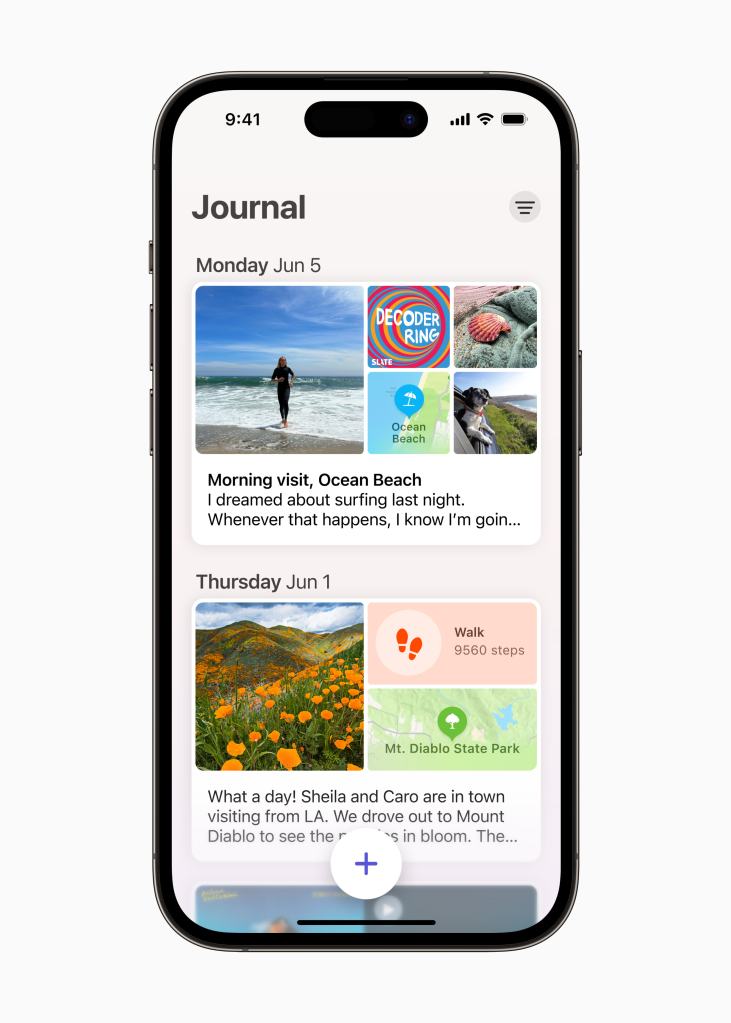
    The new Journal app coming in iOS 17 looks to be pretty close to what I was hoping we’d get. More details can be found in this post.

    And as the only person who enjoys Apple News+, there is a change coming to the service in regards to Audio Stories… they’re no longer part of Apple News+. Starting this fall, Apple News Audio Stories will be available to listen to in the Podcasts app. In some ways, this solves many of my main complaints with eh feature, but also changes the nature of Apple News+ as a service more broadly. I look forward to creating a followup to my previous post. Oh, and you can do crossword puzzles in the News app now too. Neat.

    Apple Vision Pro isn’t a standout to me just yet. There are too many unknowns of the product and everything Apple did show only falls into the “neat” category for me. It is clear that Apple has spent a lot of time thinking about AR and how users should interact with it. There are two things that Apple is not doing that competitors like Meta are, that I think sets Apple up for greater success. First, they are not reinventing reality. Unlike Meta, who believes users will spend all day, everyday in virtual reality (VR) worlds to take meetings or share spaces with co-workers, Apple understands that isn’t possible. They seem to be building the Vision Pro to extend reality and be as compatible with current “legacy” hardware and software as possible. The second is that Vision Pro is seemingly not an accessory to the iPhone. It is a standalone device not requiring any additional hardware to control, unlike competitors who want users to hold special controllers in each hand or plug in to a separate computer to power their experience. But like I said, more details are needed to make any kind of judgment.

    The Next Several Weeks

    The next several weeks on this blog will be more of a deep dive into iOS, iPadOS, macOS, tvOS, the Mac transition, and Apple Vision Pro. As a member of the Public Beta program, I will also be sharing details about these new platforms throughout the summer. I also have many other smaller projects I hope to publish to keep the topics on this blog fresh and new. I hope you return to read more about my thoughts on Apple in the coming weeks!

  • WWDC 2023 Hardware- Hopes and Predications

    I want to make it clear right at the top that hardware reveals are not overly very common at WWDC. WWDC is primarily a conference dedicated to giving developers a preview of the changes Apple is making to their platforms in the coming months. The conference, unlike events in September, are much more specifically marketed toward developers and professional users, not the average consumer. Hardware at WWDC is not something that is impossible, it does happen. In the past 10 years, 4 have had hardware announcements. So I don’t generally go into WWDC expecting hardware. Having said that, this is a year where there are multiple hardware rumors going around. So I want to discuss those rumors some while also managing expectations.

    For starters, new Macs are being talked about as a possibility. This would be very exciting as there are a couple Macs that we are still waiting to get upgraded to the M2 chip. The iMac stands out as a product that could realistically get the M2. There have been rumors a larger 15″ MacBook Air with the M2 making its debut. This would be a nice product to have in the lineup, but it’s not very exciting on its own. Think of it this way- exactly a year ago Apple debuted the new 13″ MacBook Air with the M2 chip. Is it really interesting or necessary that they reintroduce the same product in a larger size with the same chip? The answer is no. Another product due for an upgrade, and one that would be very fitting and exciting for this conference specifically, is the Mac Studio. I can very easily see Apple bringing the M2 Max to this product and debuting the M2 Ultra chip at WWDC, marking the Mac Studio as the most powerful Mac in the entire lineup. There have been some rumblings on the Mac Pro making its debut, the last two generations have all been announced at WWDC, but the rumors seem to indicate that Apple hasn’t figured out how they can maintain the products signature modularity while giving it the boost Apple Silicon provides. So a Mac Pro reveal seems unlikely. Better to focus on the Mac Studio- a very impressive and warmly received product- and a larger MacBook Air that can be quickly introduced this summer ahead of the college shopping season.

    The only other product that is supposed to appear, and is probably what you are reading this post for, is Apples new headset that, depending on the rumors you listen to, is either a virtual reality (VR) focused headset or a mixed reality headset that will incorporate elements of both VR and augmented reality (AR). It’ll be a new product category for Apple and the first new product category since AirPods were introduced. I have been a VR skeptic my entire life. So if this headset is mostly VR focused, I will have pretty minimal interest in the product. Especially at the rumored/anticipated $3,000 price point. If it is more AR focused, I’ll definitely be more intrigued, but that price is the biggest thing that consumers won’t be able to overcome. I don’t want to judge a product before it’s announced, but I am not looking forward to this headset in the way I was about AirPods, Apple Watch, or even the launch of Apples suite of paid services.

    I do also want to point out that rumors can be very wrong. If you have been following Apple rumors for the past several years, you might remember the one about the Apple Watch Series 7 getting an all new flat design. That ended up not happening at all. In fact, the opposite was true- the Series 7 introduced curved glass that made the display look like it wrapped over the side of the Watch. I always keep that example in mind whenever rumors like the ones about the headset swirl about.

    Whatever Apple does announced on Monday during WWDC, I will be sure to share my thoughts on it that day.

  • watchOS 10- A Leap Forward

    If you haven’t already, please read my previous posts about iOS 17, iPadOS 17, macOS 14, and tvOS 17. 

    So I will just come out and say it. I think that wearable technology like the Apple Watch is the way of the future and will someday replace our iPhones. Because of that, my watchOS wishlist tends to get a bit out of hand. Every year I want Apple to go further and take bigger and bolder leaps with the direction of the Apple Watch. So in my list for watchOS 10, I really am going through each app and identifying at least one way of improving it. So let me cut the introductory stuff and just move on to the list. 

    1. Rename Activity to Fitness- This will create consistency with the Fitness app on iOS, iPadOS, and tvOS. 

    2. Ability to share awards directly within app- Currently you can only view your Activity Awards (hopefully soon to be called Fitness Awards) in the Activity app on Apple Watch while on iOS you can both view and share them. It’d be great if you could right from your wrist share an award with a friend directly from the app.

    3. View Activity Trends in app- This is somewhat related to the above point, but currently you can view Activity Trends (hopefully soon to be called Fitness Trends) in the iOS app. It’d be nice if users could see this information in the watchOS app too.

    4. Introduce Group Fitness Challenges- This is a much requested feature. It’d be great if you could compete with up to 32 people in one fitness competition rather than competing with 32 separate people at the same time. This would keep it in line with the group limit on iMessages and FaceTime calls.  

    5. Add “Clear All” option to Alarms app- This is an odd one as the functionality for this feature exists exclusively by asking Siri to clear your alarms. I hope in watchOS 10 Apple can pull this out of Siri and make it a visible button in the Alarms app or put it into the Settings app.

    6. Rename Audiobooks to Books- This is a simple one related to the first point. Renaming the Audiobooks app to Books would be more consistent with its companion Books app on iOS as well as the Books app on other platforms. 

    7. Ability to search and purchase and download audiobooks directly on Watch- This is similar to the point I made in my tvOS 17 post. But Apple should allow users to browse and purchase audiobooks right from the Watch in a similar way to the Podcasts and Music app.

    8. Ability to view previous blood oxygen level measurements within Blood Oxygen app- This would mostly be a quality of life improvement for viewing the health data collected via Apple Watch. 

    9. Add ability to edit calendar events directly on Watch- This is another odd one that I’m surprised Apple internally didn’t catch. Currently you can create events on Apple Watch, but if you tap on the event to edit it, you can’t. Most users would expect it to bring up the same interface from when they made the event.

    10. Ability to view previous ECG results in ECG app- This would also be a quality of life improvement for viewing the health data collected via Apple Watch. 

    11. Ability to use Precision Finding on Watches with U1 chip to locate AirTags and other U1 enabled devices- This is a big one. I want Apple to basically turn the Apple Watch into both an AirTag so it can be found just like an AirTag if you loose it, and into an iPhone so you can use it to find AirTags just like your iPhone. This would greatly improve the reliability of Find My for users and expand the feature set of Watch. 

    12. Ability to see video camera feed directly on Watch in Home app- This is an odd one. It’d be nice to see the last couple seconds of your home security cameras video feed directly in the Home app. 

    13. Add more pill sizes, colors, and icons to Medications app- The Medications app that Apple added last year is great, however adding more pill sizes and colors and icons to the app to help users keep track of even more medications users may take. 

    14. Setup medication schedules in Medications app- While you can track medications taken on the Apple Watch and receive notifications about your medication schedule on Apple Watch, you cannot actually setup a medication schedule itself on your Apple Watch. I hope Apple adds this functionality in watchOS 10.

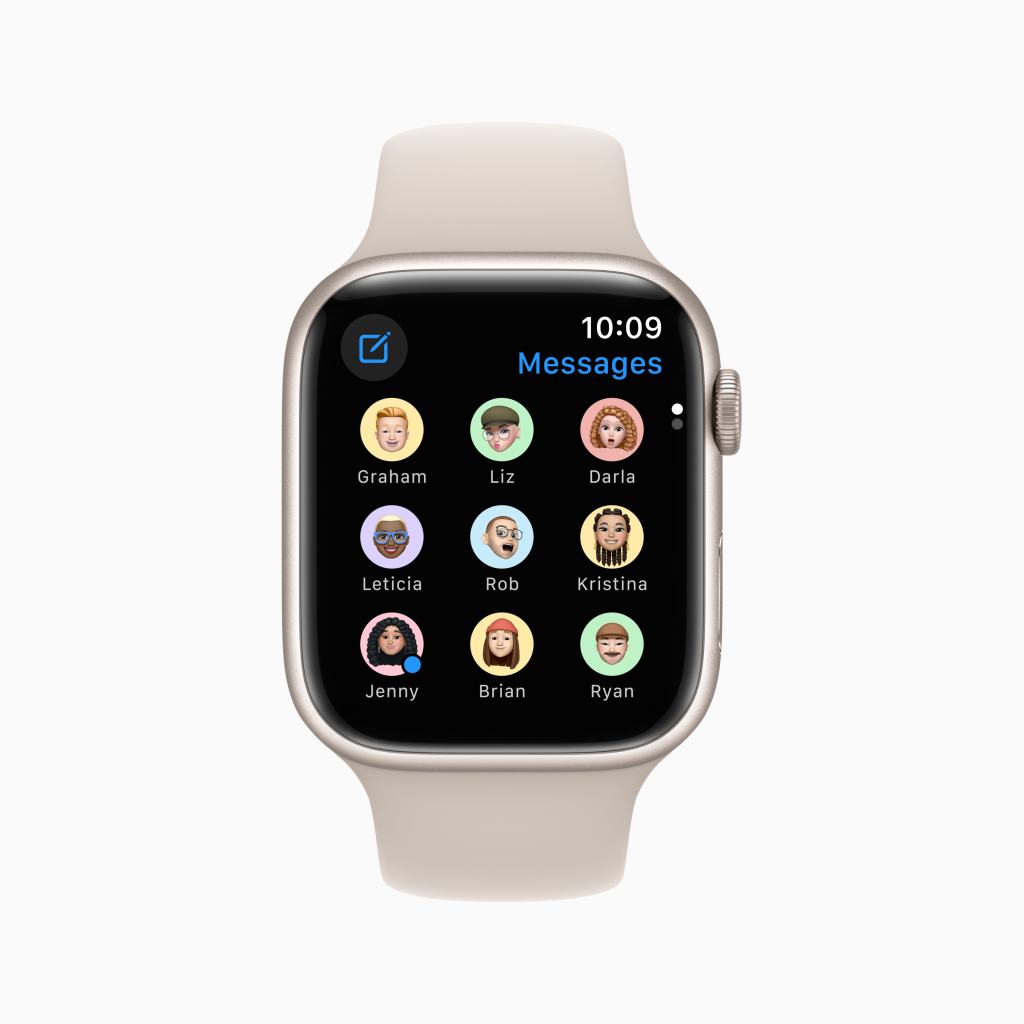
    15. Improve design of Messages app by adding support for profile pictures and pinned conversations- The Messages app on Apple WatchOS is painfully ugly and outdated compared to its counterparts on Apples other platforms. In watchOS 10, I want Apple to bring support for contact profile pictures to the app, and keep your top 9 pinned contacts on the top of the app interface. 

    16. Ability to use U1 handoff on Watch with Music and Podcasts- If you have a modern iPhone, you might know about the handoff experience the U1 chip inside allows for. I think Apple should bring this ability to the Apple Watch so you can, with just a tap, handoff audio from music or a podcast directly to a HomePod. 

    17. Add support for Audio Stories in News app- The current Apple News app on watchOS kinda sucks. One way to improve it is by allowing users to browse, download and play News+ Audio Stories directly on the Watch just like music and podcasts. 

    18. Dynamic Island inspired animations for Transit and Express cards- If you have an iPhone 14 Pro and use Transit cards or Home Keys in Apple Wallet, you may have noticed the fun animation that plays in Dynamic Island when tapping to a terminal or your lock. Dynamic Island just bubbles out to show the relevant card, it does a little spin, then just disappears. It’s super fun. I want Apple to bring some of that fun animation to the Apple Watch too.

    19. Weather app visual overhaul to show more detail about current forecast- The Weather app in watchOS is very ugly. It also hasn’t changed much since its inception in watchOS 1. This year I want Apple to up the amount and quality of information visible in the watchOS version of the Weather app.

    20. Weather Watch face- This one is pretty simple. I hope Apple can take the existing Weather Lock Screen on iOS and scale it down a bit to look absolutely stunning as an Apple Watch face. 

    21. Ted Lasso Watch face- In a bit of fun, and a kind of spin on the current Toy Story face, it’d be neat if Apple added a Ted Lasso face to the lineup that rotated characters doing something from the show that they are known for. Like Ted smiling and waving at you, Rebecca crossing her arms, Nate nodding, Roy walking off screen, the list goes on. 

    22. Siri complication can be added to any face- Apple has a really neat Siri face for the Apple Watch and it exclusively has the option to add Siri access as a complication. I want to add Siri as a complication to any face you may choose to use. 

    23. Siri Suggestion complication can be added to suggest apps or actions based on usage or unread notifications- Siri Suggestions are something that I hope Apple greatly works to improve this year, especially on Watch as Siri Suggestions could dynamically change the Watch face and help users get to what they want in fewer steps. For example, if I set a Siri Suggestions on a face, it could adapt to showing a shortcut to an app based on if that app has a notification waiting for me to act upon. Or if I frequently use an app at a certain time of day or location, it could adapt to showing a different set of complications based on that criteria.

    24. Live Activities API added for use on Watch faces, dock, and complication slots- Live Activities was arguably the biggest feature to come out of iOS 16 last year but it sadly missed the Apple Watch. So Watch users still get bombarded with notifications or have to check an iPhone to see the status of an ongoing Live Activity. This year, I hope Apple brings Live activities to the Watch so users can, at the very least, check the status of an activity while it runs. This can be visible in a large complication slot on the face or stored in the Dock.

    25. Custom notification sounds and Taptic feedback- This has been a big request from the accessibility community for years, but is also something that would greatly benefit all users. It’d be great if apps could allow their own notification sound or if Apple expanded the number of available default sounds apps could take advantage of. And rather than getting the same Taptic feedback for every notification, imagine having something a little different for your favorite contacts or for specific apps. That way you could tell what is going on without even needing to look at the Watch.

    26. Complication Gallery shows preview of complication before adding to face- Currently whenever you go into the Complication Gallery to add or remove a complication from your face, it only lists them by app and the information it shows without giving you any context for what the complication will actually look like after being placed in that complication slot. Apple should update this to be a more visual experience.

    27. Continued remastering of older Watch faces- With the discontinuation of Apple Watch Series 3 and earlier last year, Apple needs to work on remastering some of the original Apple Watch faces they still offer like Activity Digital for example. The face technically does support the Apple Watch Series 4 rich complications, but they haven’t been scaled correctly. Text and gauges in the corners and at the bottom look small and some of these spaces don’t fully support rich compilations despite having the space to do so.

    28. Improved smart replies in Messages- This is something that supposedly is already implemented in watchOS, but I highly doubt it is as I’ve never seen it work before. Supposedly Apple Watch will scan your message history to generate some default replies to messages on your device, in addition to the basic predetermined ones. However, I have never seen it offer up anything other than the basic predetermined ones. So this year, I hope Apple can fix this feature or improve it so that it is much more noticeable.

    29. Nap Detection- This is a big requested improvement to the Sleep App. In addition to sleep detection, I hope Apple adds nap detection so your Watch can detect the amount of sleep you get while taking a quick mid-day snooze.

    30. Specific lists from Reminders can be added as complications- Currently you can only add the Reminders app itself as a complication to your face, however it’d be great if Apple let users go a bit further and put a dedicated shortcut to a specific list in Reminders right on the face.

  • tvOS 17- At Your Service

    If you haven’t already, please read my previous posts regarding iOS 17, iPadOS 17, and macOS 14

    Every year at WWDC, you can guarantee at least 4 things. That Apple will announce changes being made to iOS, iPadOS, macOS, and watchOS. Less certain, and with decreasing frequency, is any talk at all of tvOS. In its place, Apple has been increasing it’s focus on the home and how their technology and platform is going to make it easier to setup and use your smart home accessories and keep it secure. While this is an encouraging thing for Apple to be keeping track of and investing in, they also need to keep some focus on the Apple TV itself and making it better. This is why I don’t want to ignore tvOS the way Apple does. The Apple TV is unique in that it doses’t need features to get users to do more things with it, it needs features to make accessing your content and services easier than ever. 

    1. Improved Multiuser Support- Starting with tvOS 13, Apple added multiuser support to the Apple TV with the goal of keeping family members content and services more separate. However, there are very few apps I find that support this feature. Instead, apps keep users content separate by having their own account based system in place but that doesn’t extend to the OS level. So users content still regularly gets mixed up. In an App Store rule change beginning in tvOS 17, Apple should require developers who connect to TV app or developers who have a user select screen in their app to plug-in to Multiuser API. 

    2. Kid Profiles- In a related point to the above, users in a Family Sharing group who have users marked as kids should have special profiles that can be managed by an adult user who can turn on extra options and filters to keep the content kids can watch or access age appropriate. 

    3. Screen Time support- Also related to the point above, it’d be great if Apple Brough over Screen Time to the Apple TV. App Limits and time spent on Apple TV are included in Screen Time metrics on other devices but exclude Apple TV. This means if a user maxes out their time on an app like YouTube on their iPad, they can go to the Apple TV and keep watching there with no penalty to way to track it. 

    4. Passcode Options for User Profiles- Related to the couple points above, you don’t want kids swapping to adult profiles to get around restrictions or if you live in a dorm and share your Apple TV with friends rather than family, you don’t want a friend to mess up your account. So it’d be great if users could add a simple passcode to their profile so you can’t swap to them without knowing the passcode. It’d be great if every time the Apple TV woke up from sleep it would ask who is using the Apple TV and prompt them to use their profile. 

    5. Faster UI animations- the Apple TV suffers from a problem that the Apple Watch had for several years which is the speed of animations. It feels like it takes 1-2 seconds from the time you click a button on the Siri Remote for the screen to reflect the action you wanted to take. If animation speed was cut in half, it’d go a long way to making the device feel a lot nicer and getting users to their content quicker. 

    7. Apple News app- Let me be clear, I’m not saying you should be able to read news stories on your Apple TV. That would be hell. What I am saying is bring the Apple News app to the Apple TV so people can listen to their News+ Audio Stories and watch video from News app partners.

    8. Weather app- This would also be great app to bring to the Apple TV. To see weather radar in full screen along with weather trends for the entire day. In tvOS 15 and earlier, there was a really neat Weather interface you could get to by talking with Siri, so I really just want Apple to pull that out and make it a full, separate app.

    9. Apple Books app- Let me be clear here too, I’m not saying you should be able to read full books on your Apple TV. That would also be hell. What I am saying is you should be able to listen to and browse for and purchase Audiobooks on the Apple TV just like you can movies or podcasts. This would give people even more options for enjoying their audiobooks and increase potential revenue for purchases of audiobooks. 

  • macOS 14- A Sight To Behold

    If you haven’t already, please read my previous posts on iOS 17 and iPadOS 17

    macOS and by extension the Mac itself, is by far the most mature platform Apple maintains today. With the first home Apple computer being released in 1976 and the first operating system for the Lisa being released in 1983, elements of our modern macOS manage to go back that far. The personal computer market has seen several decades of transitions, changes, and technological innovations that simply haven’t been possible yet on many other Apple devices. In coming up with a list of features that should come to macOS, it has a similar problem to that of iPadOS. Where iPadOS tries and struggles to bridge the gap between the Mac and iPhone, macOS tries to maintain its technical and professional users happy by keeping choices open and allowing for customization not seen in any other Apple product, while also keeping more causal users happy by making the Mac as simple to use as the iPad. When making a wishlist for macOS features you want to see, you need to keep in mind which audience you are a part of. In my case, I’m pretty firmly in the casual audience. So these are things I’d like see that make my Mac work a lot more like an iPad or iPhone than a traditional “computer”.

    1. Better Widget support- Many first party apps like App Store, Batteries, Books, Contacts, Files/Finder, Game Center, Mail, Maps, Music, Shortcuts, Siri Suggestions, TV, and Wallet are missing widgets that you can find on iOS and iPadOS devices. All these apps should add their widgets as options to macOS. It’d be even cooler if Apple went a step further and allowed widgets to be placed on users desktops. It’d make some of the large and extra-large widgets that exist on iPadOS already and make them available to more users.

    2. Wallet app- One of the core features and services in the Apple ecosystem is Apple Pay. I think most users are trained that in order to setup and manage Apple Pay you go to the Wallet app. The Mac of course, has no Wallet app. Users are forced to go to System Settings to add and remove cards. In MacOS 14, Apple should introduce a Wallet app to allow users to mange and setup Apple Pay cards as well as apply for an Apple Card, Apple Pay Later, and make deposits and withdrawals to and from their Apple Cash Card. Basically feature parity with iPhone for Wallet and Apple Pay offerings. Users could even (theoretically) track orders they’ve made on the web with Apple Pay.

    3. Native AirPods setup- We all know how to pair AirPods with our iPhone right? Open the case, popup appears, tap “Connect”, and boom. That’s it. But on a Mac? It gets a lot more complicated. You’ll need to open System Settings and go to Bluetooth and press and hold the button on the back of the AirPods case, and yuck. It’s a horrible user experience, especially comparing it to the way it works on every other Apple device. Apple needs to bring the same pop-up interface for pairing and registering AirPods from iOS to macOS, giving everyone the same first class user experience all users.

    4. Native AirTag setup- In a similar vein to the above point, setup of AirTags is super easy on an iPhone. Conversely, it is impossible on a Mac. Apple could expand the customer base and user base of the Find My network by bringing the ability to setup AirTags to the Mac.

    5. Apple News+ Audio Stories- If you read my post on iPadOS, this point is going to be very similar. In short, Apple should allow Mac subscribers to Apple News+ to listen to the same Audio Stories iPhone subscribers to the same service can listen to.

    6. iMessage app support- Starting in iOS 10, Apple opened a new App Store for the Messages app that expanded the functionality of iMessages on iPhone and iPad. Now that we have Apple Silicon in the Mac and the Messages app running on it is the same one from the iPad, I’d say its time for Apple to allow iMessage apps on the Mac.

    7. Fitness app- The Fitness app, formerly the Activity app, was an iPhone and Apple Watch exclusive app. Starting with the launch of Apple Fitness+, Apple brought the app to more new platforms like Apple TV and iPad. Apple should expand the Fitness app to the Mac to allow people who travel with just a Mac to utilize Fitness+ workouts on a larger screen.

    8. Health app- This is a simple one, it’d be nice if you could browse your health charts on your Macs big screen and export charts or workout history to a PDF or directly to Numbers. 

    9. Apple Arcade app- If you read my previous post on iOS 17, this will also sound very familiar. In short, Apple should have a dedicated Arcade app to let users browse and download Arcade games without having to go through the App Store.

    10. Updated Volume and Brightness HUD- Remember how big and obnoxious the old volume indicator was in iOS before Apple changed it to a small slider that popped out when you adjusted the volume? What if I told you it’s still in macOS and yes, it continues to be just as annoying. A much more elegant solution would be to drop down the volume slider from Control Center when adjusting the volume. 

    11. Redesigned Launchpad- Launchpad is currently the place you go to view all the applications you’ve installed on your Mac. You get there by clicking the Launchpad app icon or four finger pinching on the Macs trackpad. It hasn’t changed really at all since it’s introduction in 2010. I think it’d be nice if Apple redesigned it to look and function a bit more like the App Library on iOS and iPadOS. 

    There is one more thing I didn’t mention about macOS 14. Astute students of macOS will know that macOS isn’t just numbered like iOS is, it’s named. Every year since 2013 and the launch of Mac OS X Mavericks, there has been some kind of naming controversy every WWDC as to what macOS will be called. 2013 was the year Apple’s crack marketing team decided to transitioned from their dwindling supply of big cat names to locations in California. In the years since, we’ve gotten the likes of Yosemite, Sierra, Big Sur, and Monterey. We’ve sadly missed the likes of Weed and Rancho Cucamonga. But what will Apple call macOS 14 this year? My personal bet is on macOS 14 Sonoma. I may be missing my old GMC Sonoma, but I think it rolls nicely off the tongue compared to other options like Mammoth and it sounds much more pleasant and inspired than something like Skyline or Pacific. But I’m sure Craig Federighi, Hair Force One himself, will not hesitate to let us know the full insider story when WWDC rolls around.